Extract city from address or ZIP code in any spreadsheet
CityLookup is a spreadsheet add-on that finds and extracts city names from address and location data.

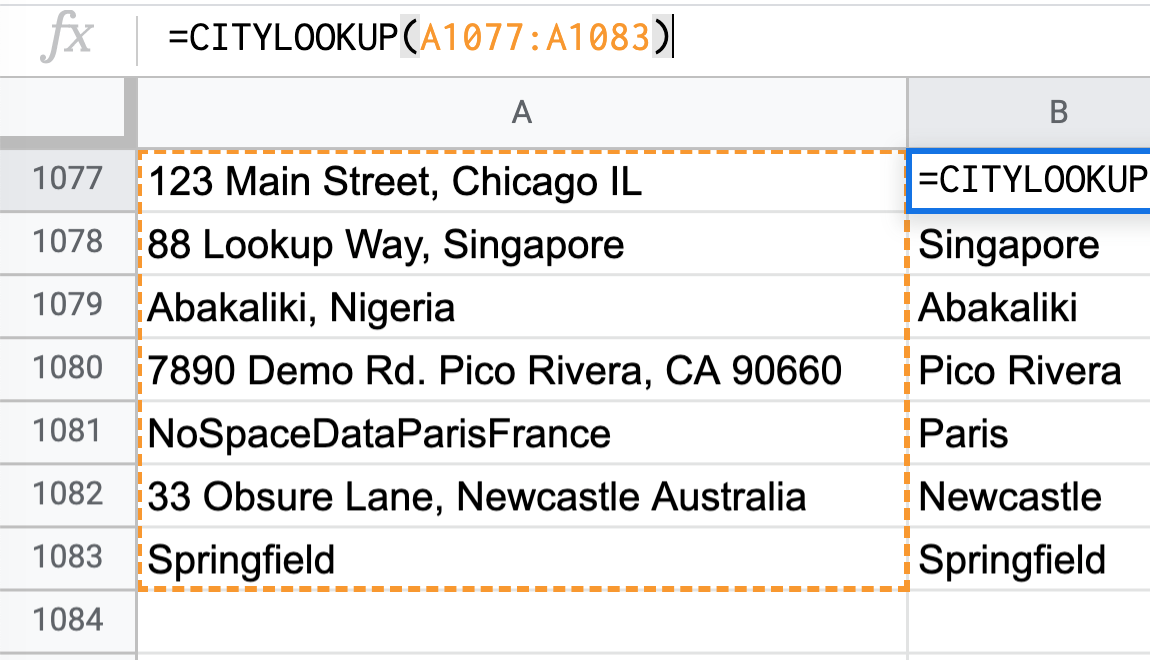
CityLookup is a spreadsheet add-on that finds and extracts city names from address and location data.
No credit card, no setup -- free to install directly from Google Sheets
Get CityLookup free from the Google Workspace Marketplace -- no credit card required.
From any Google Sheet, open Extensions > CityLookup to launch the sidebar.
Call CityLookup over your data and get clean city names back instantly.
Go from disorganized data to efficient analysis in seconds with CityLookup's simple, powerful custom function
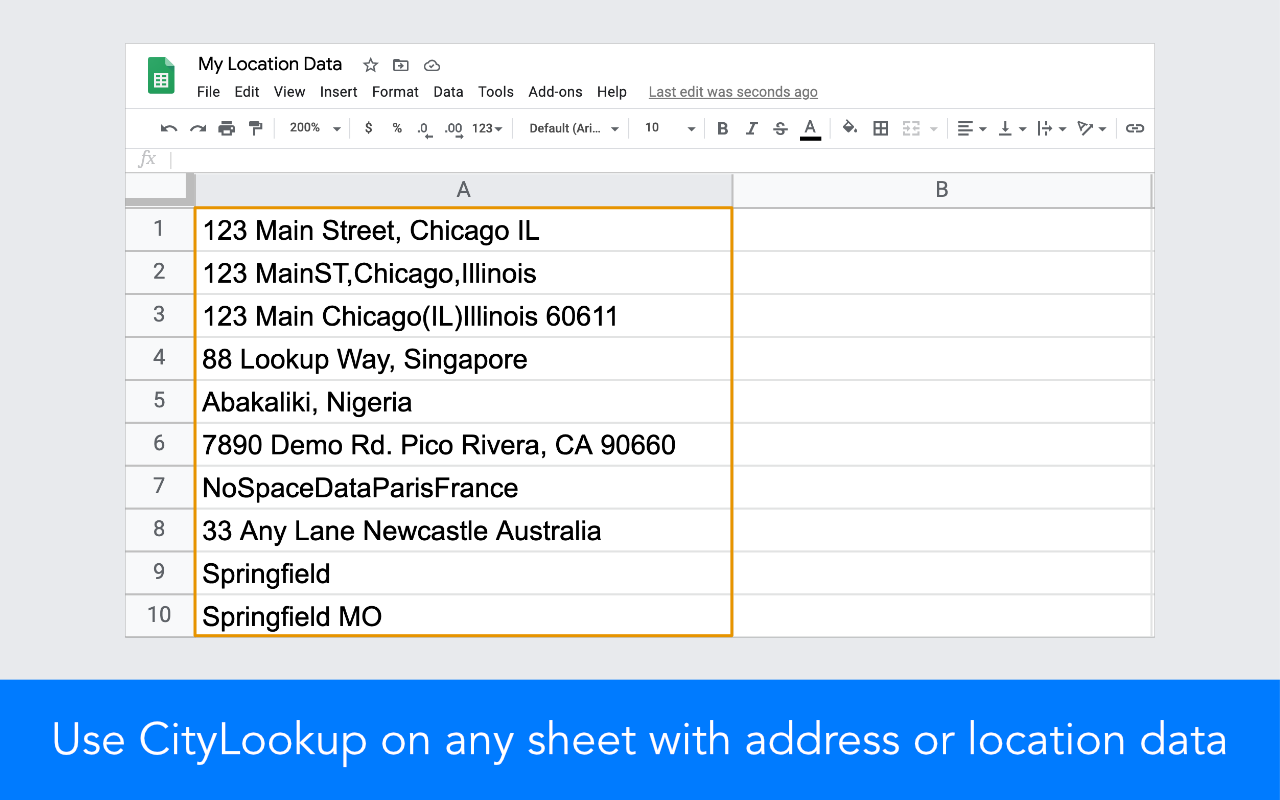
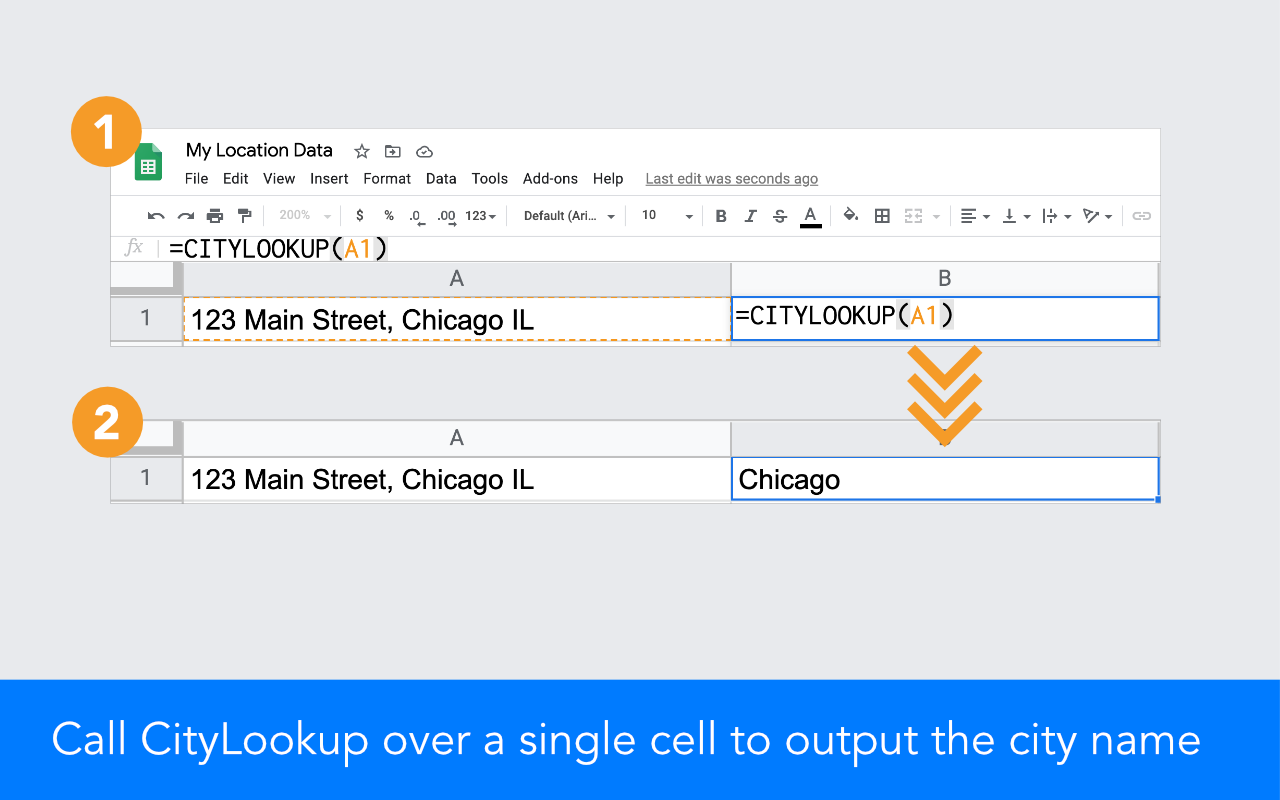
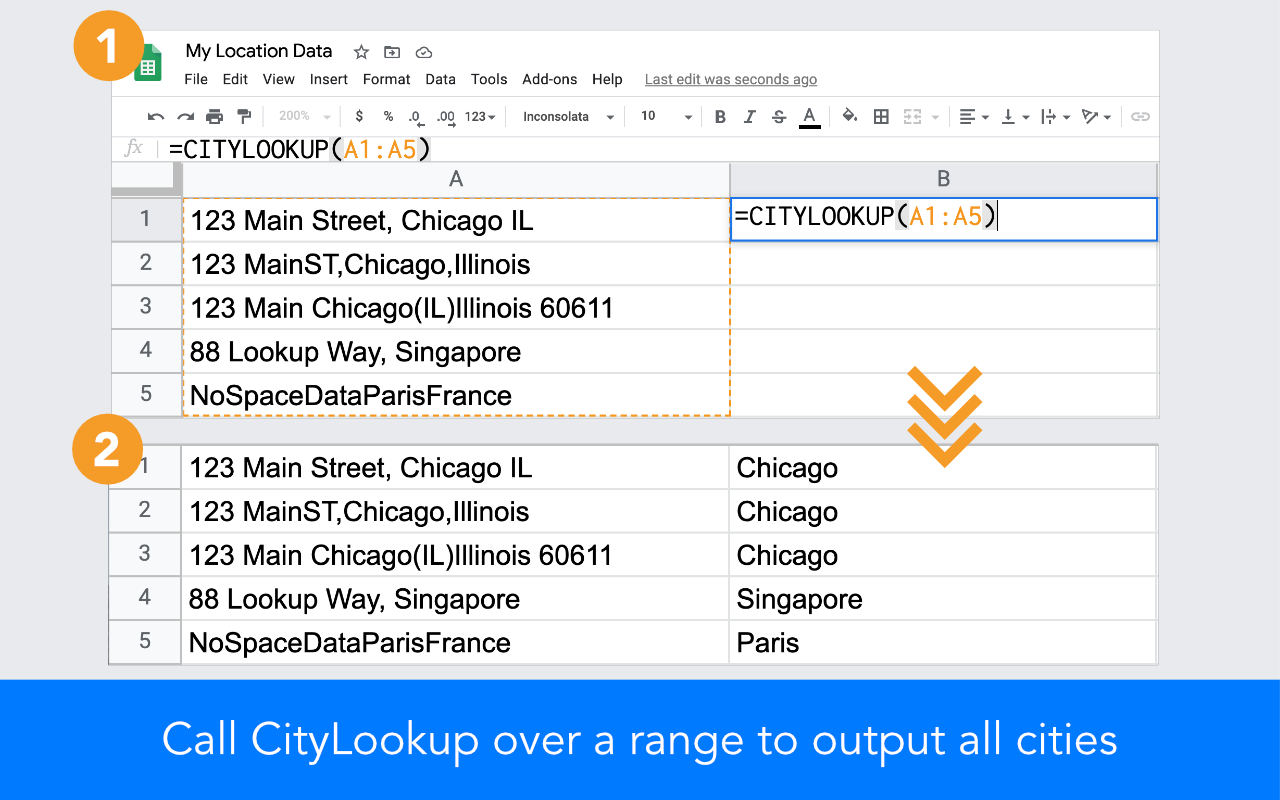

Quickly categorize thousands of addresses into clean data for analysis or plotting on a map.

There's value hiding in most spreadsheets. Turn data into insights and action.

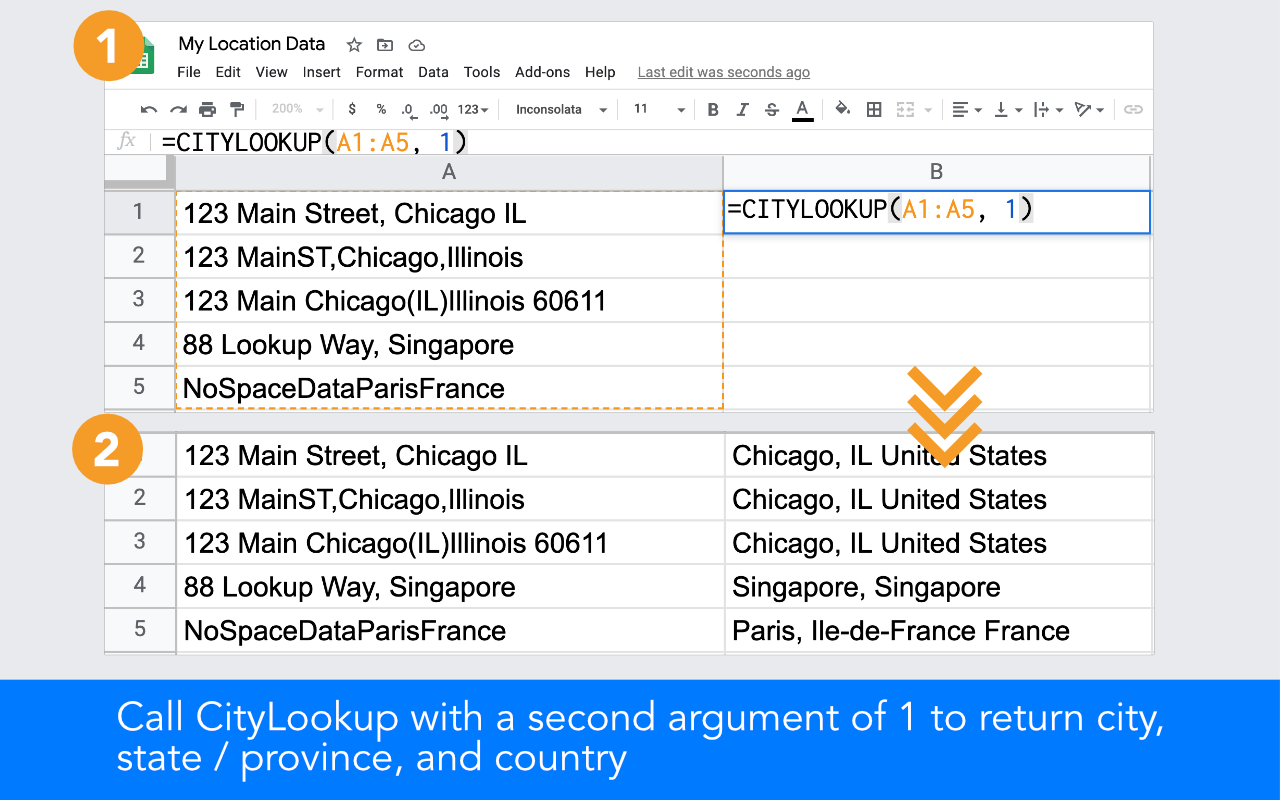
CityLookup can output just a city name, or complete city, state / province, and country information.

CityLookup works with location data already in Google Sheets. Excel support is planned.

CityLookup is an add-on for Google Sheets that outputs a standardized city name from any input.
Call CityLookup over a range of location data like this:
=CITYLOOKUP(A1:A10)
and it will find and return the city from each cell.
Simply enable the add-on for the spreadsheet where you want to match or de-dupe city information. We've used it for address data, CRM exports, job postings, real estate listings, and more.
CityLookup is free to use up to 100 lookups per day. If that's insufficient, we offer an unlimited version for $19.99 / month, which allows an unlimited number of CityLookup calls. You may upgrade within the CityLookup add-on by clicking the upgrade button from the sidebar. Upgraded subscriptions may be cancelled at any time.
Yes. Call CityLookup with an (optional) second argument of 1, and the output will include the complete city, state/province, and country. For example:=CITYLOOKUP(address, 1)
Please note that to successfully output state and country information, the input must contain more information than a single city name. For example, "Springfield" will always return the city name only, but "Springfield MO" will return "Springfield, MO United States".
Please contact us with any problem cases. We are always improving our lookup algorithm and will aim to resolve any issues.
Suggest a city for us to add to CityLookup.
CityLookup currently finds and matches the largest cities across the world, and many smaller cities in the US. We're always adding more cities to improve our coverage and accuracy.
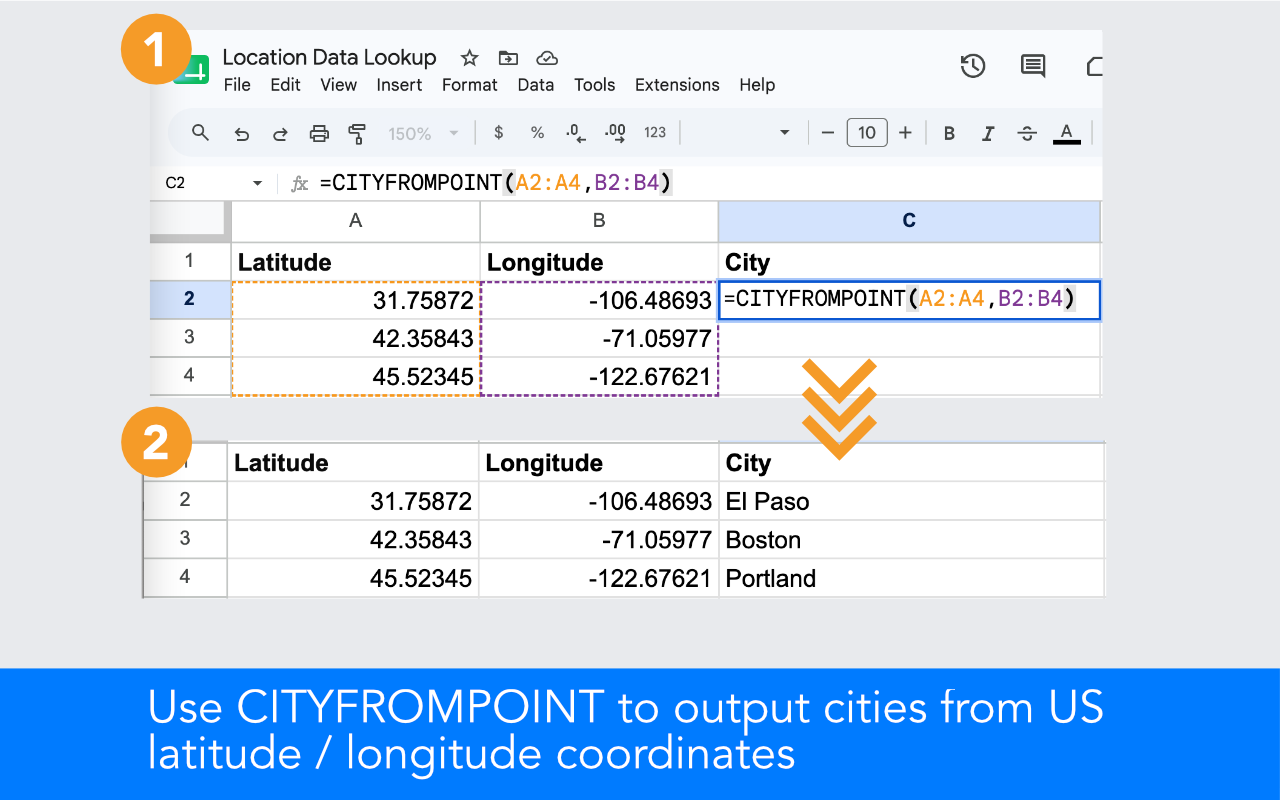
CityLookup includes a function to reverse geocode a latitude, longitude point to its corresponding city name. CITYFROMPOINT reverse geocodes lat/long to city, matching the point against the city whose official municipal boundary actually contains it.
=CITYFROMPOINT(A1,B1)
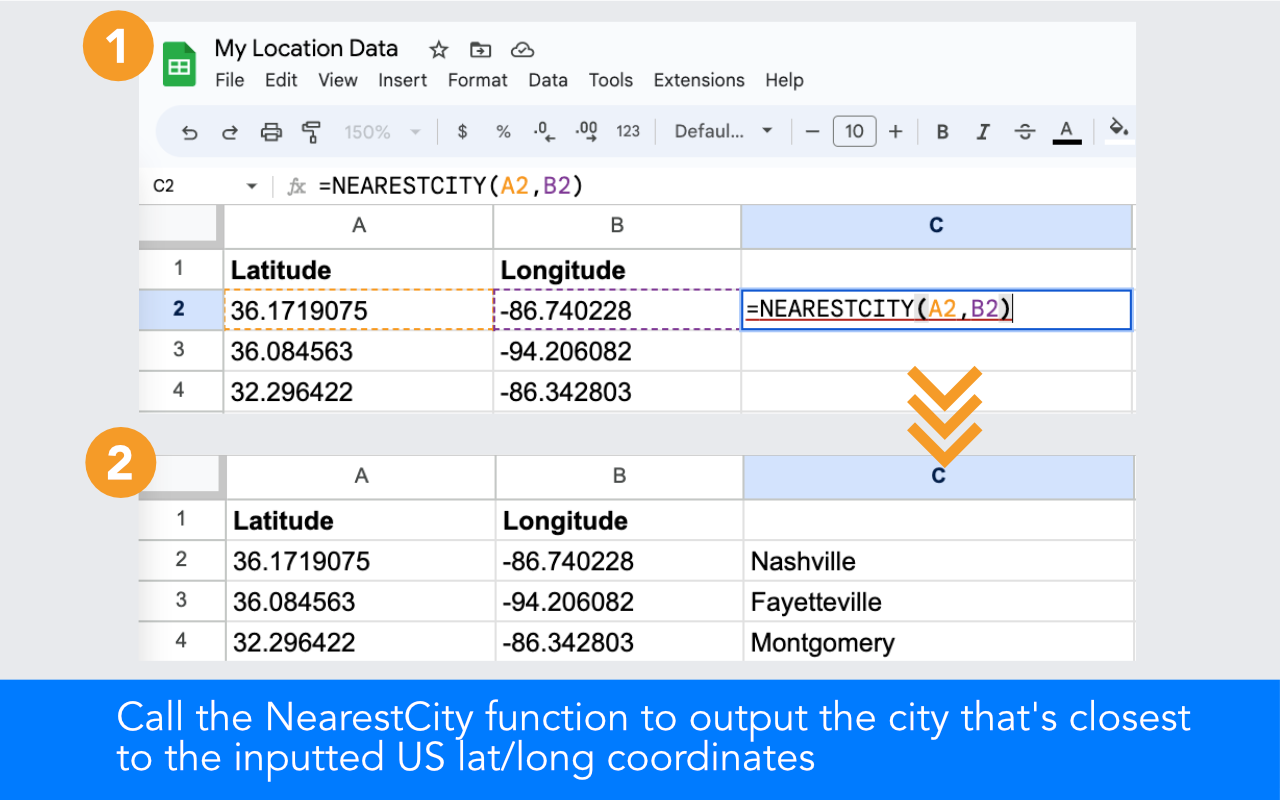
If cell A1 contains 41.8781 and B1 contains -87.6298, it will output "Chicago". CITYFROMPOINT only returns a result when the point falls within a covered city's actual boundary -- if a point falls outside every covered city, it returns nothing rather than guessing. For those cases, CityLookup also includes NEARESTCITY, which always returns the closest city even when a point falls just outside its boundary.
CITYFROMPOINT and NEARESTCITY support US latitude and longitude points. Other countries may be added in the future.
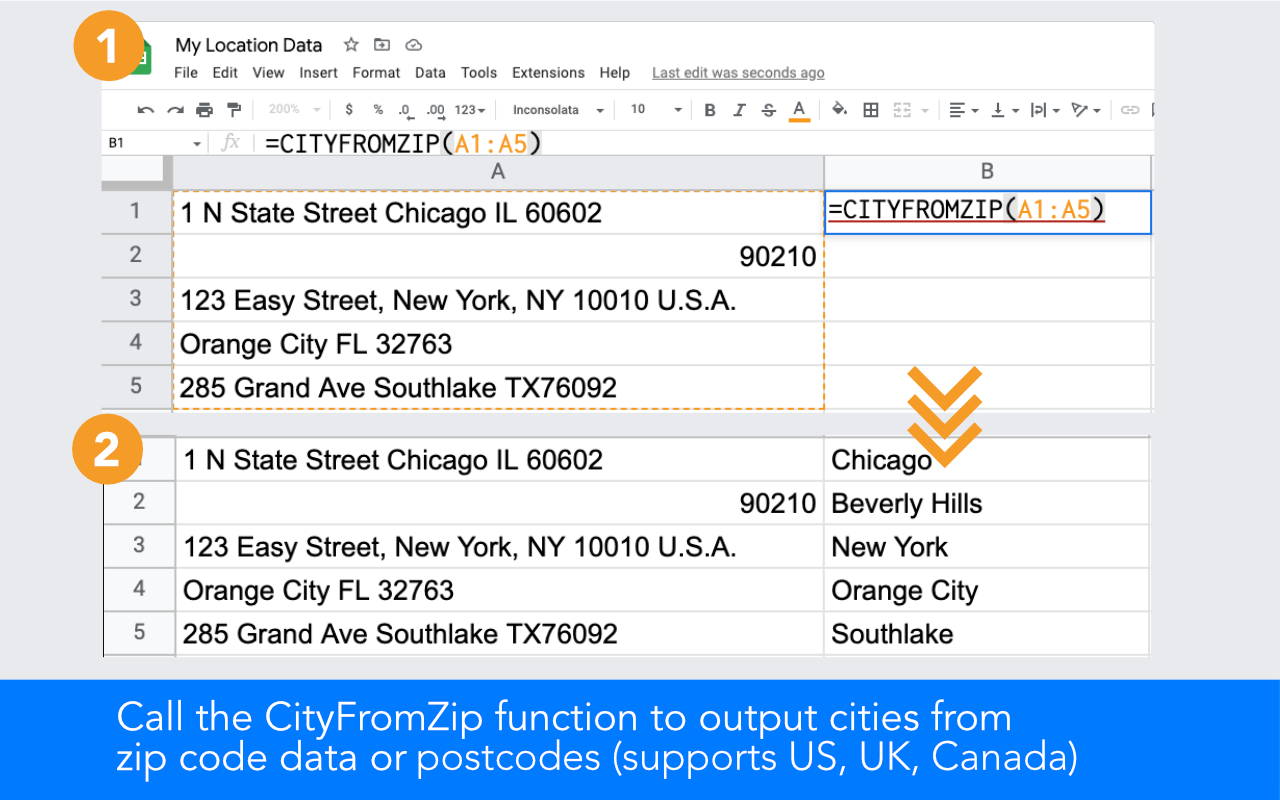
Yes. CityLookup includes a CITYFROMZIP function, which outputs a city name for the ZIP or postal code contained within your input, and supports US ZIP codes, UK postcodes, and Canadian postal codes.
=CITYFROMZIP(A1)
If cell A1 contains "90210" it will output "Beverly Hills". CITYFROMZIP works with bare ZIP/postal codes or full address strings, and can be called over a range (=CITYFROMZIP(A1:A10)) to process multiple rows at once.
For UK postcodes, CITYFROMZIP returns the Royal Mail post town. For Canadian postal codes, it returns the nearest service city (accuracy may vary in rural areas). For US ZIP codes spanning multiple cities, it returns the largest city covered by that ZIP code.
CityLookup does not yet support Excel but we plan to in the future. In the meantime, you may open your spreadsheet or paste your data into Google Sheets and use CityLookup there.
