Clean and normalize dates in spreadsheets
DateFix is a spreadsheet add-on that helps you clean messy or inconsistent dates in spreadsheets and CSV imports with a simple custom function.

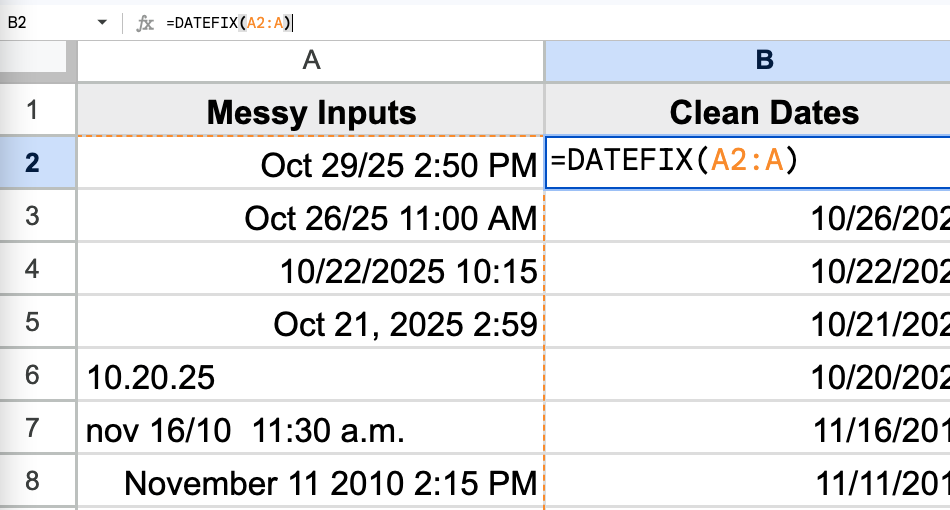
DateFix is a spreadsheet add-on that helps you clean messy or inconsistent dates in spreadsheets and CSV imports with a simple custom function.
Go from messy, inconsistent dates to clean, reliable data in seconds with DateFix's simple custom function.
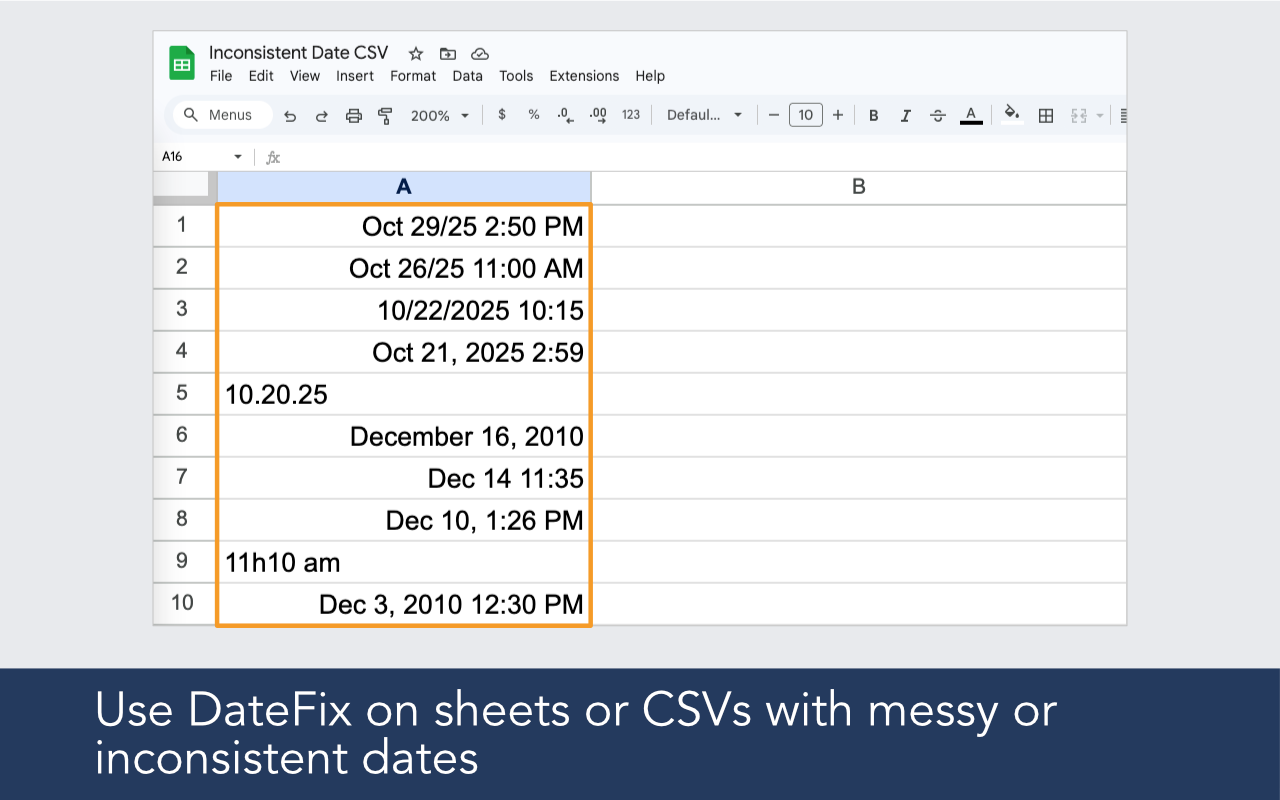
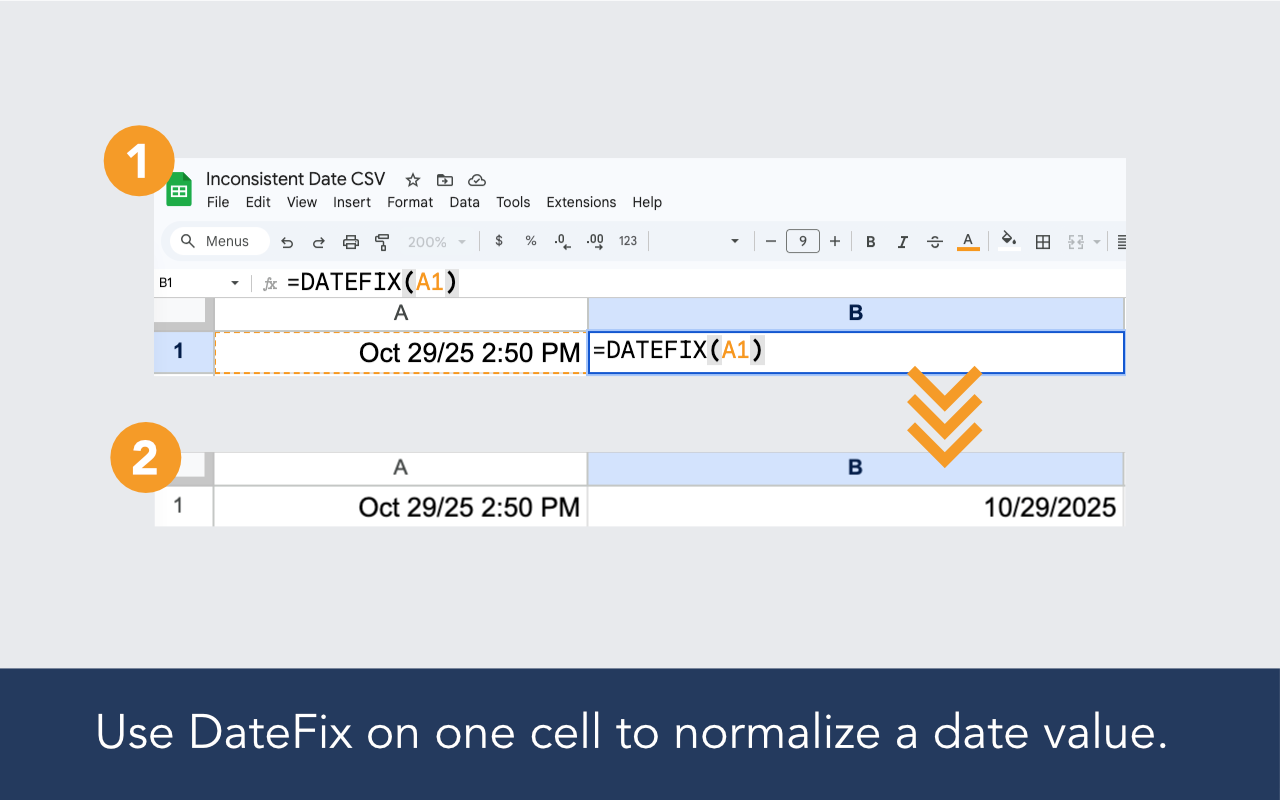
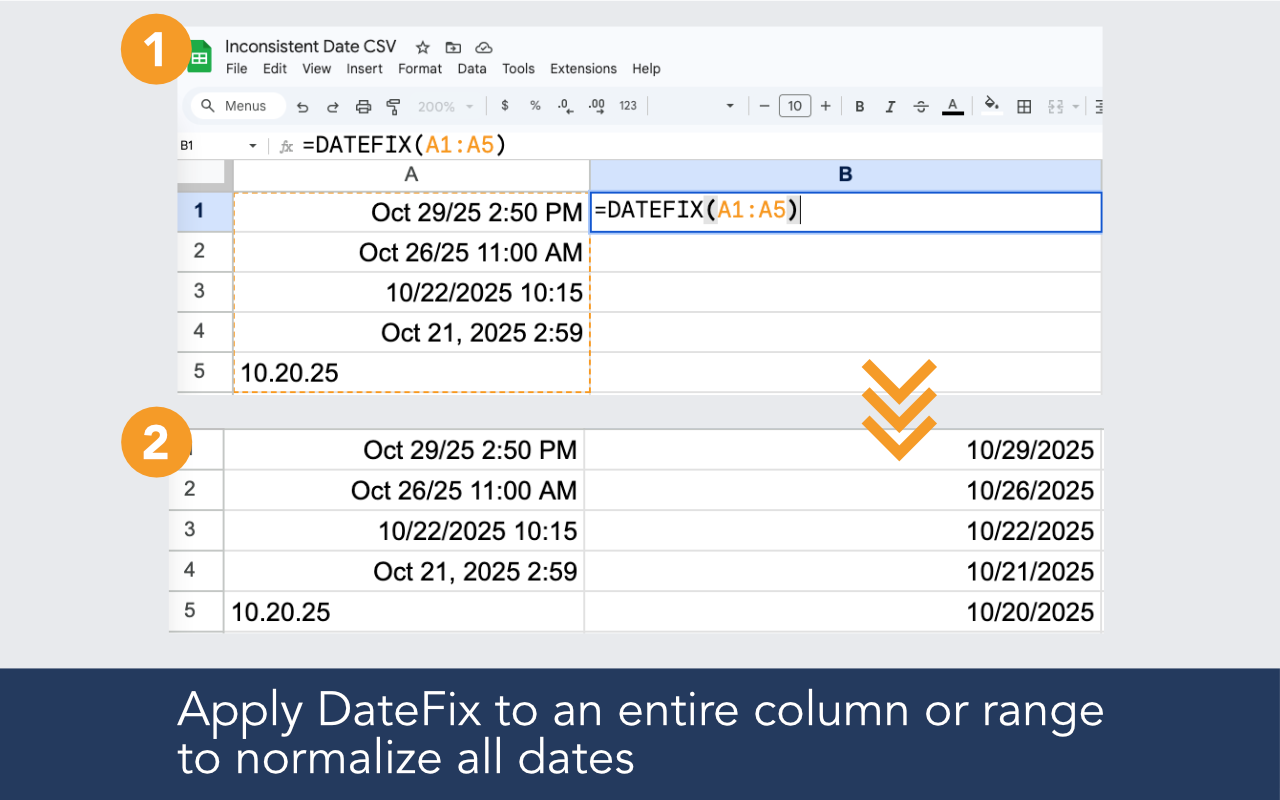
Clean inconsistent dates in a single cell or an entire range with one simple function.

Make imported spreadsheet and CSV data easier to sort, filter, compare, and analyze.

Use optional arguments to return normalized time values or machine-readable ISO output.

DateFix works directly inside Google Sheets™, without scripts, complex formulas, or manual cleanup.

DateFix is an add-on for Google Sheets™ that helps normalize messy or inconsistent date values.
Call DateFix over a cell or range like this:
=DATEFIX(A1:A10)
and it will clean and normalize the dates it can interpret.
Simply install the add-on, open it in the spreadsheet where you want to clean dates, and use the DATEFIX custom function in a new column. DateFix works well for CSV imports, historical datasets, exported reports, CRM data, financial data, and other spreadsheets with inconsistent date formats.
DateFix is free to use up to 100 rows per day. If that is not enough, DateFix Unlimited is available for a $19.99 monthly subscription and allows unlimited usage in the spreadsheet you unlock. You may upgrade from within the DateFix sidebar, manage billing from the Account button, and cancel at any time.
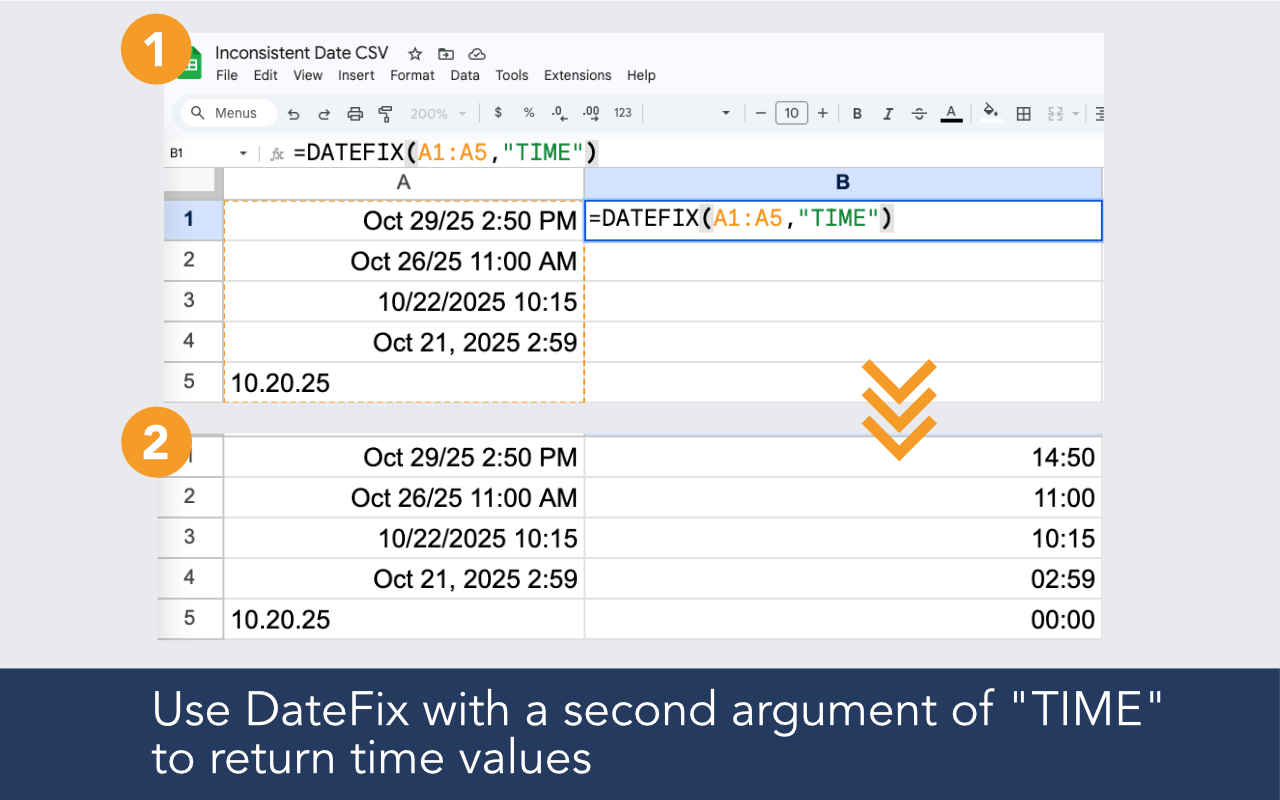
Yes. Use the second argument of "TIME" to return normalized time output.
Example:
=DATEFIX(A2,"TIME")
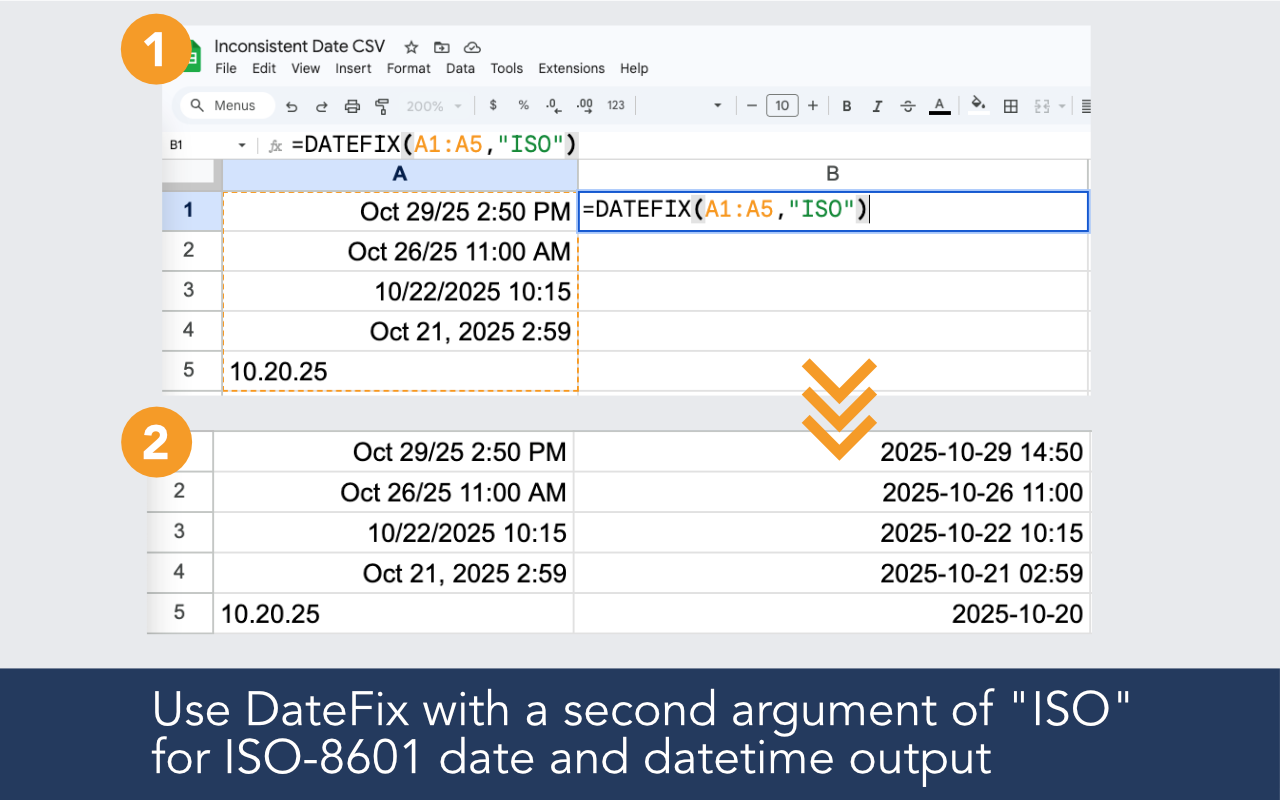
Yes. Use the second argument of "ISO" to return ISO-style dates and datetimes.
Example:
=DATEFIX(A2,"ISO")
This is useful when preparing data for exports, databases, APIs, and other systems.
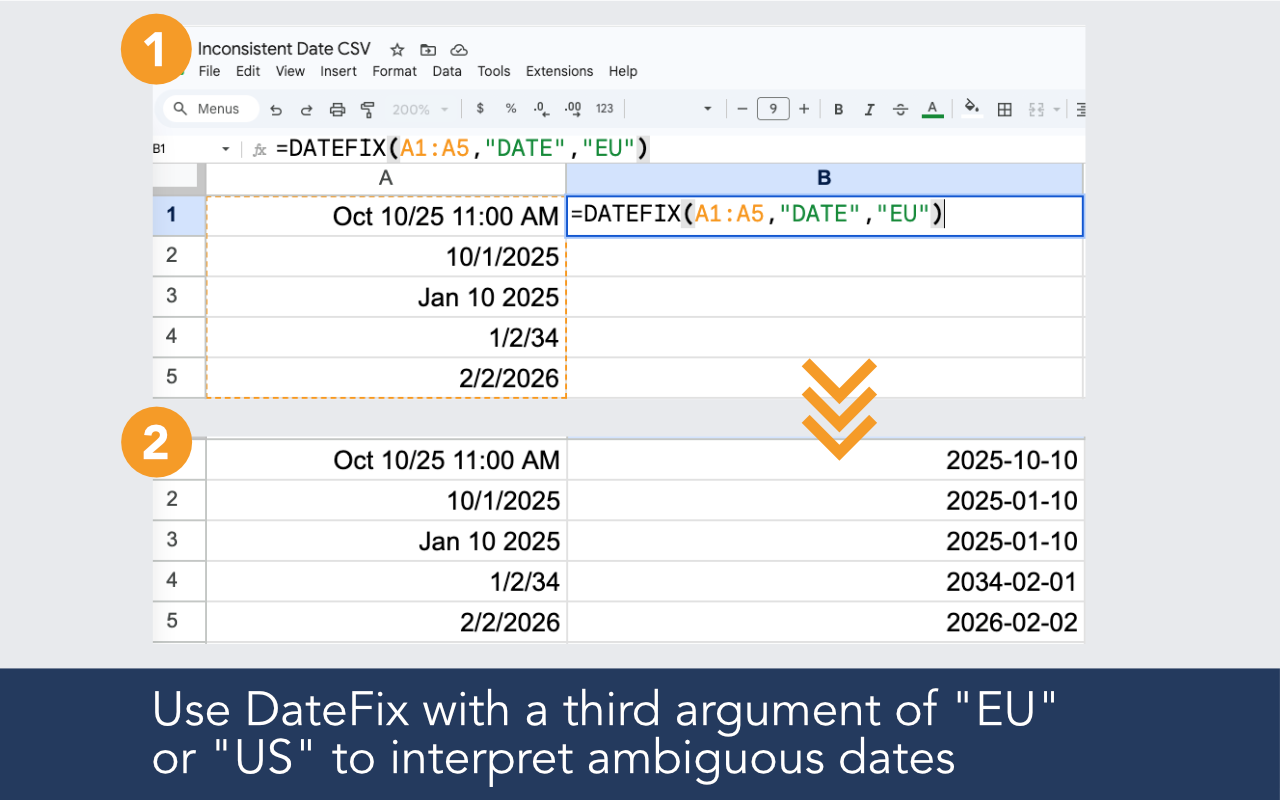
Yes. Use the optional third argument to specify how ambiguous dates should be interpreted.
Example:
=DATEFIX(A2,,"US")
or
=DATEFIX(A2,,"EU")
This is helpful for dates like 10/11/2024 that could mean different things in different regions.
Please contact us with any sample inputs that did not normalize as expected. We review real-world examples and continue improving DateFix over time.
DateFix is currently built for Google Sheets™. If your data is in Excel, you may paste or import it into Google Sheets™ and use DateFix there.
