CSV import dates not recognized in Google Sheets?
DateFix converts imported date strings into clean, usable spreadsheet dates so you can sort, filter, and analyze your data without manual fixes.
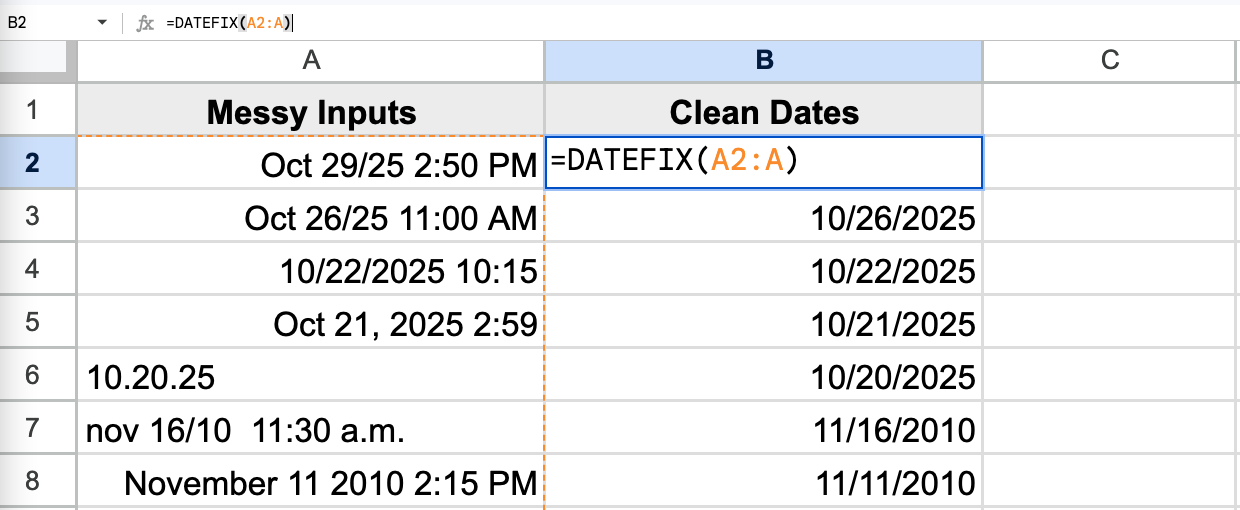
DateFix converts imported date strings into clean, usable spreadsheet dates so you can sort, filter, and analyze your data without manual fixes.
CSV imports bring dates in as unrecognized text strings. DateFix converts them to clean, sortable date values in seconds.
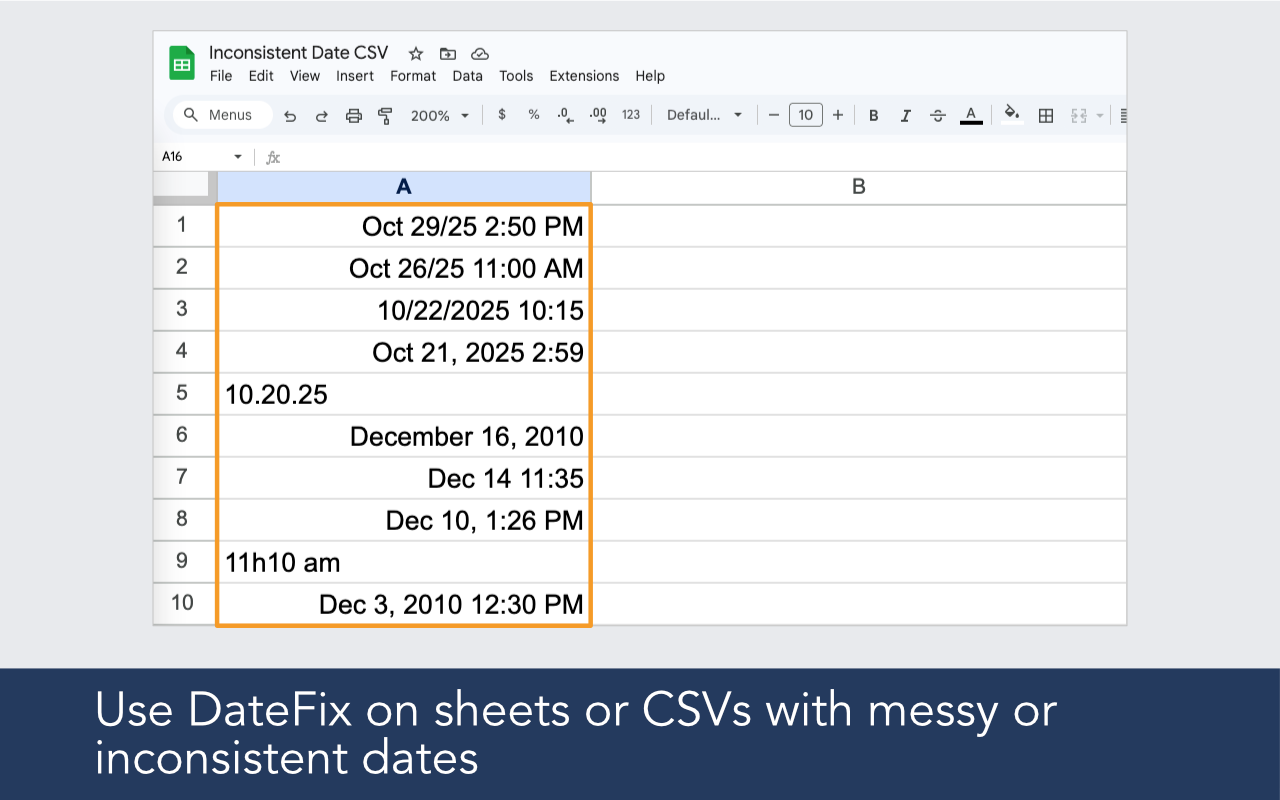
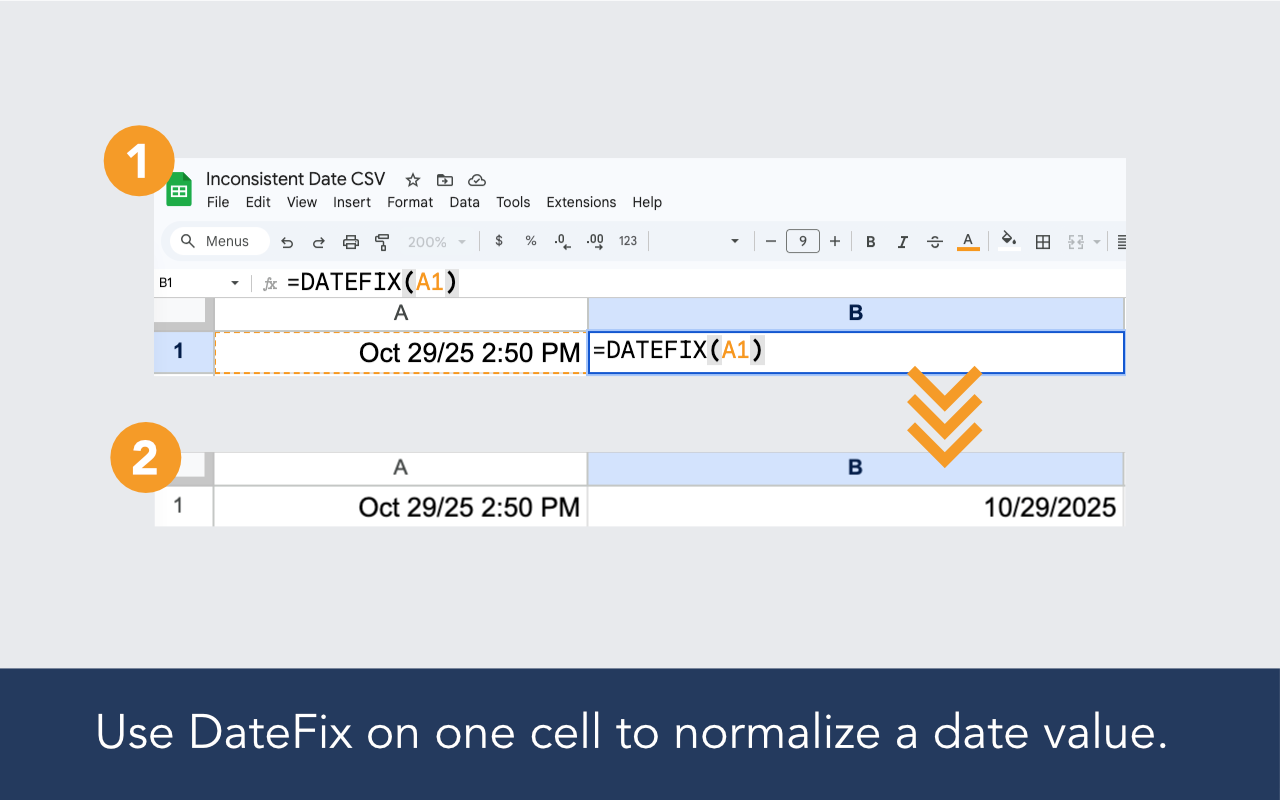
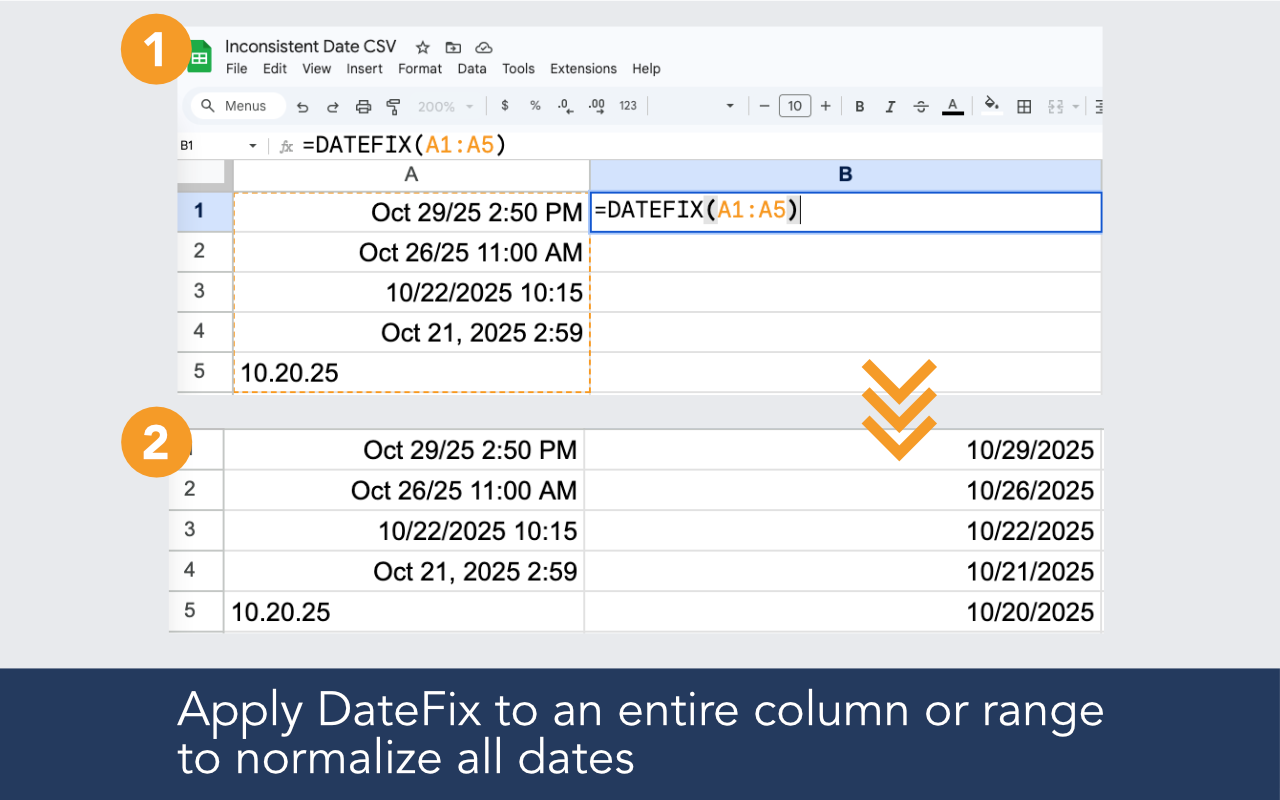
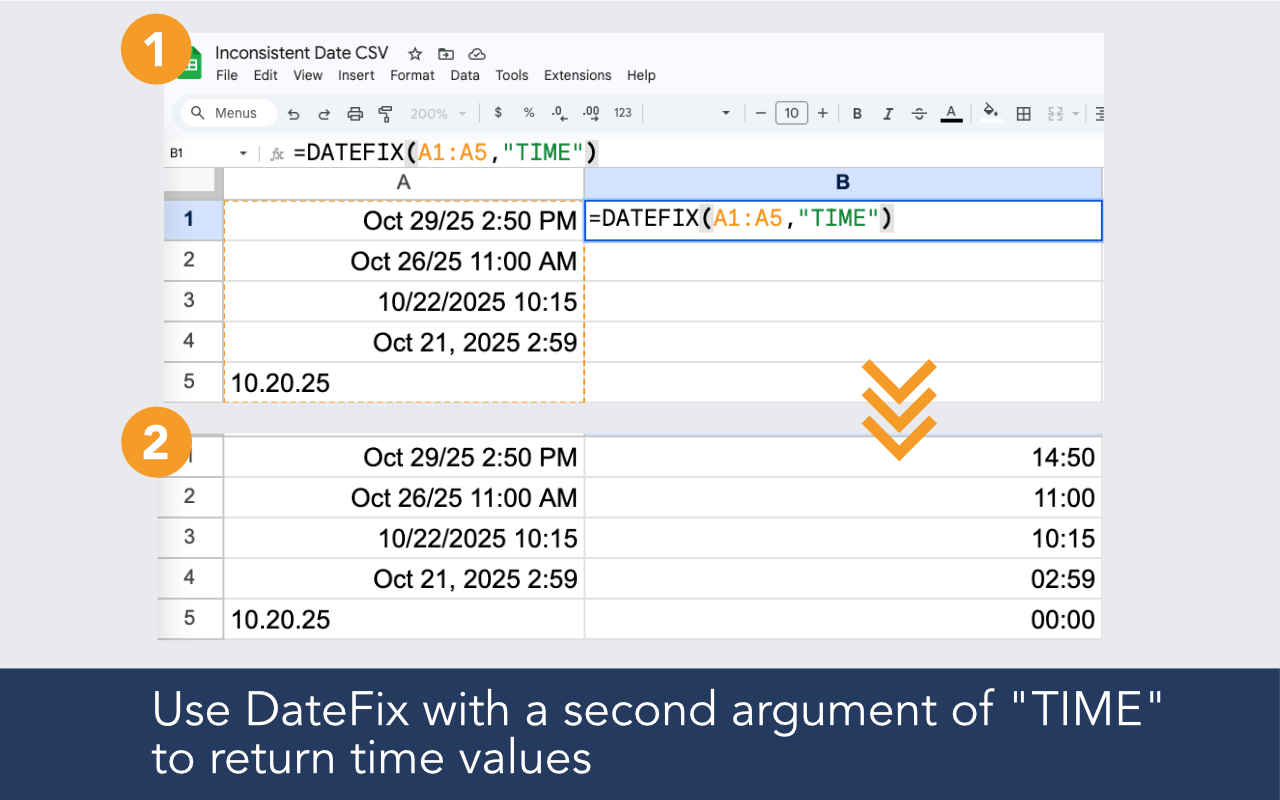
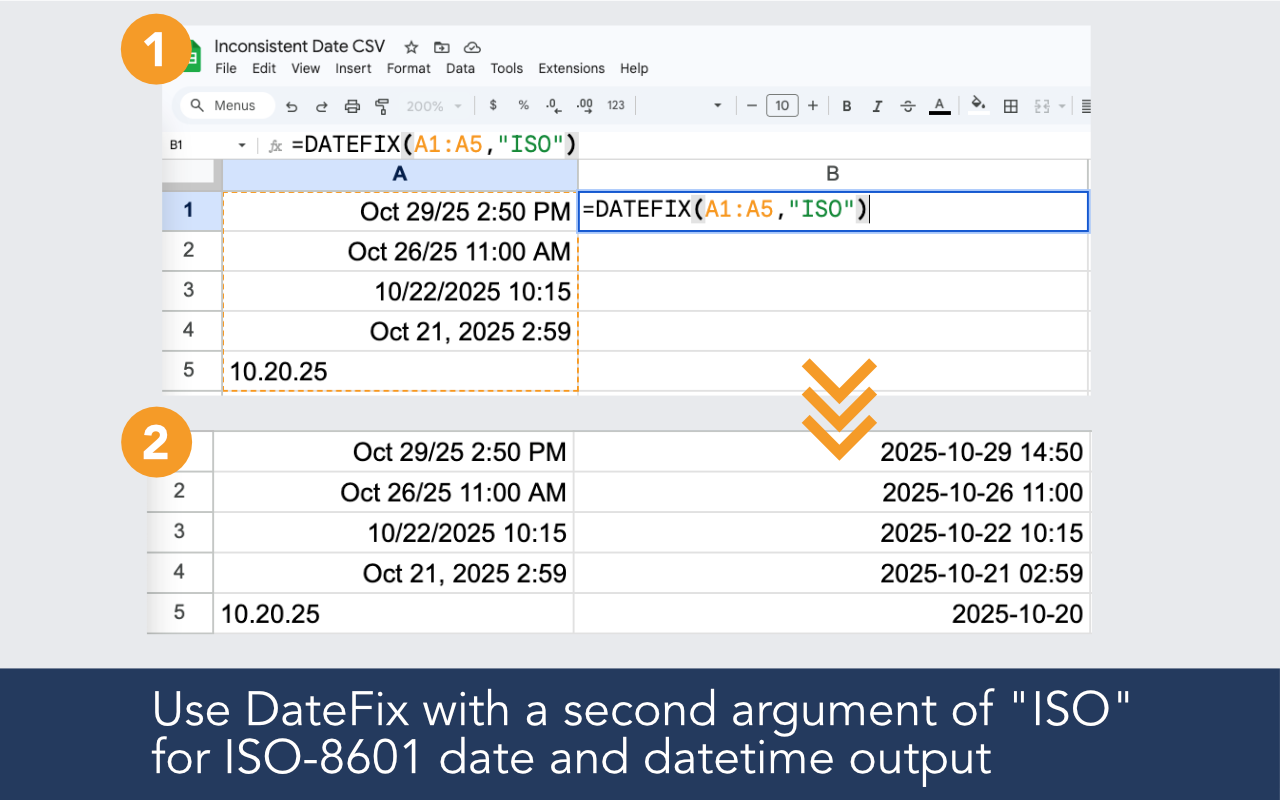
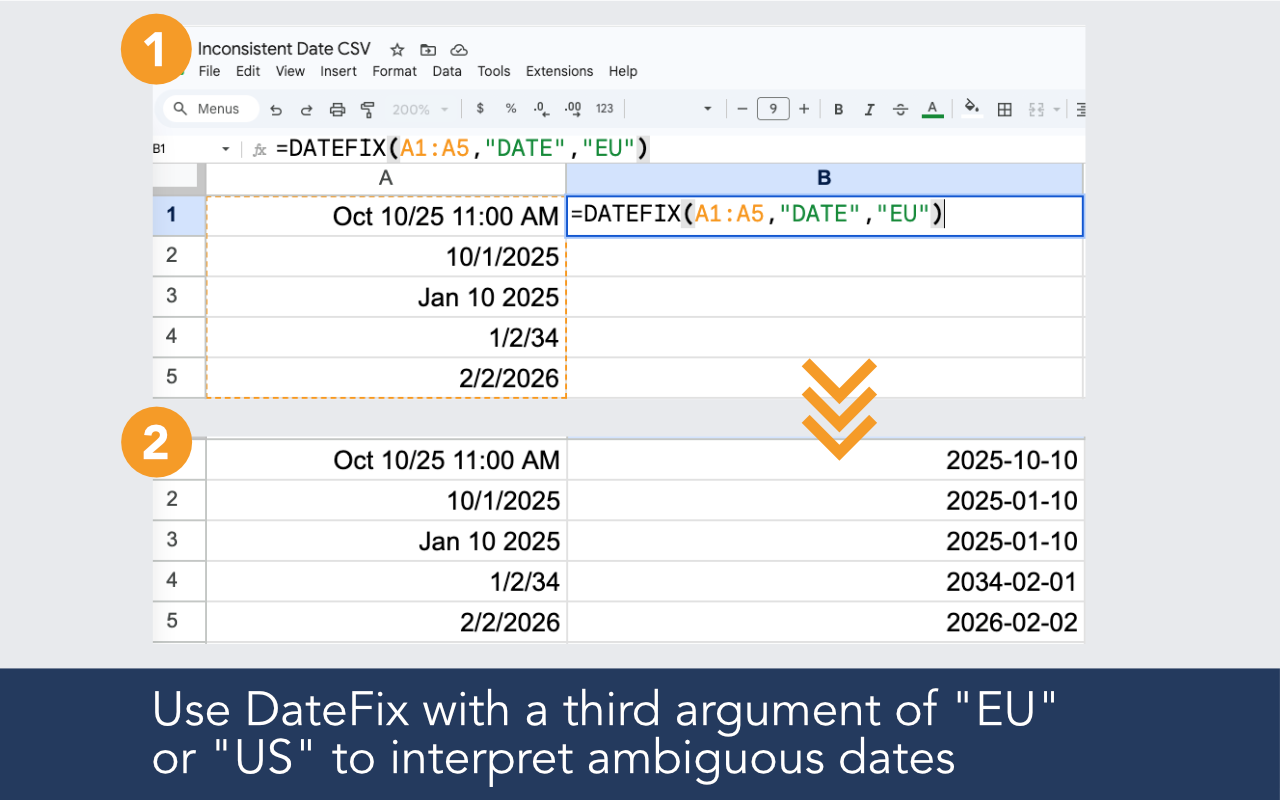
Built for CSV imports, CRM exports, form data, and any spreadsheet where dates arrive broken.

Clean date values from CSV files, CRM exports, reports, and copied datasets in one formula.

Interpret multiple date styles in the same column instead of failing on the first format mismatch.

Run DateFix on a single value or across thousands of rows at once.

Clean date output that works with sorting, filtering, pivot tables, and formulas.
Install the add-on, open it in your sheet, and use a simple formula in a new column.
Example formulas
=DATEFIX(A2:A100)
=DATEFIX(A2,"ISO")
=DATEFIX(A2,,"US")

CSV files store everything as plain text. When Google Sheets imports the file, it tries to interpret each value but often cannot recognize date strings, especially if they use non-standard or mixed formats. DateFix is designed to handle exactly these inputs.
Yes. Call DateFix over the full range of your imported date column. The free tier supports up to 100 rows per day. DateFix Unlimited handles larger datasets with no row cap.
DateFix is a Google Sheets add-on that cleans and normalizes messy or inconsistent date values with a simple custom function like =DATEFIX(A2:A10).
DateFix is free to use up to 100 rows per day. If that's insufficient, we offer an unlimited version for $19.99 / month, which allows an unlimited number of DateFix calls. You may upgrade within the DateFix add-on by clicking the upgrade button from the sidebar. Upgraded subscriptions may be cancelled at any time.
Yes. Use the optional third argument to specify "US" or "EU" interpretation for ambiguous dates like 10/11/2024 that could be read either way.
