Date format not working in Google Sheets?
DateFix fixes the root cause. When dates are stored as text, applying a date format does nothing. DateFix converts those values into real date output so formatting, sorting, and formulas work correctly.
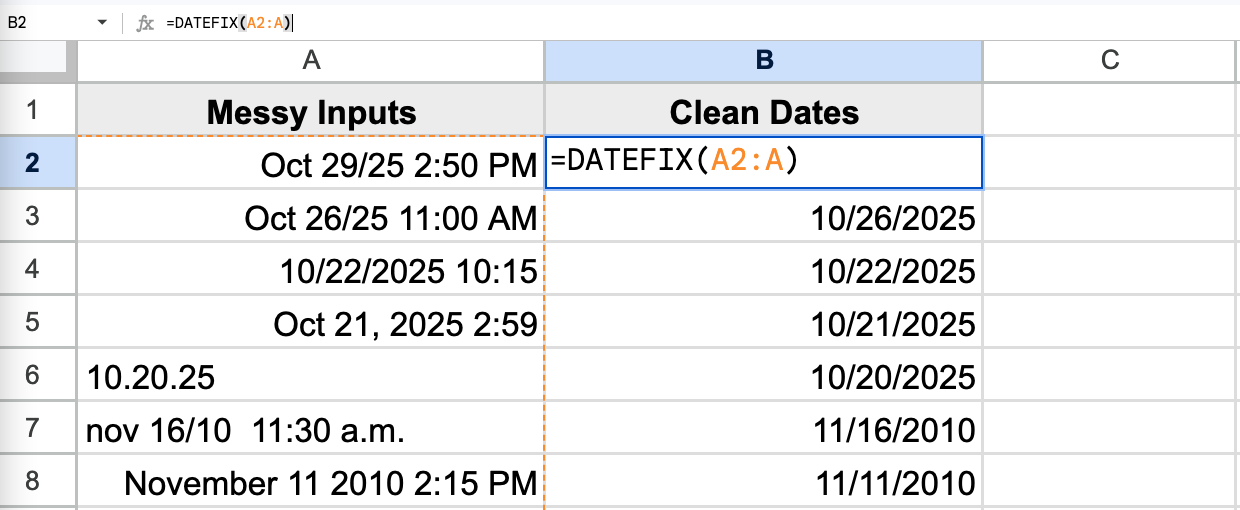
DateFix fixes the root cause. When dates are stored as text, applying a date format does nothing. DateFix converts those values into real date output so formatting, sorting, and formulas work correctly.
Applying a date format has no effect when values are stored as text. DateFix converts them to real dates so formatting, sorting, and formulas work.
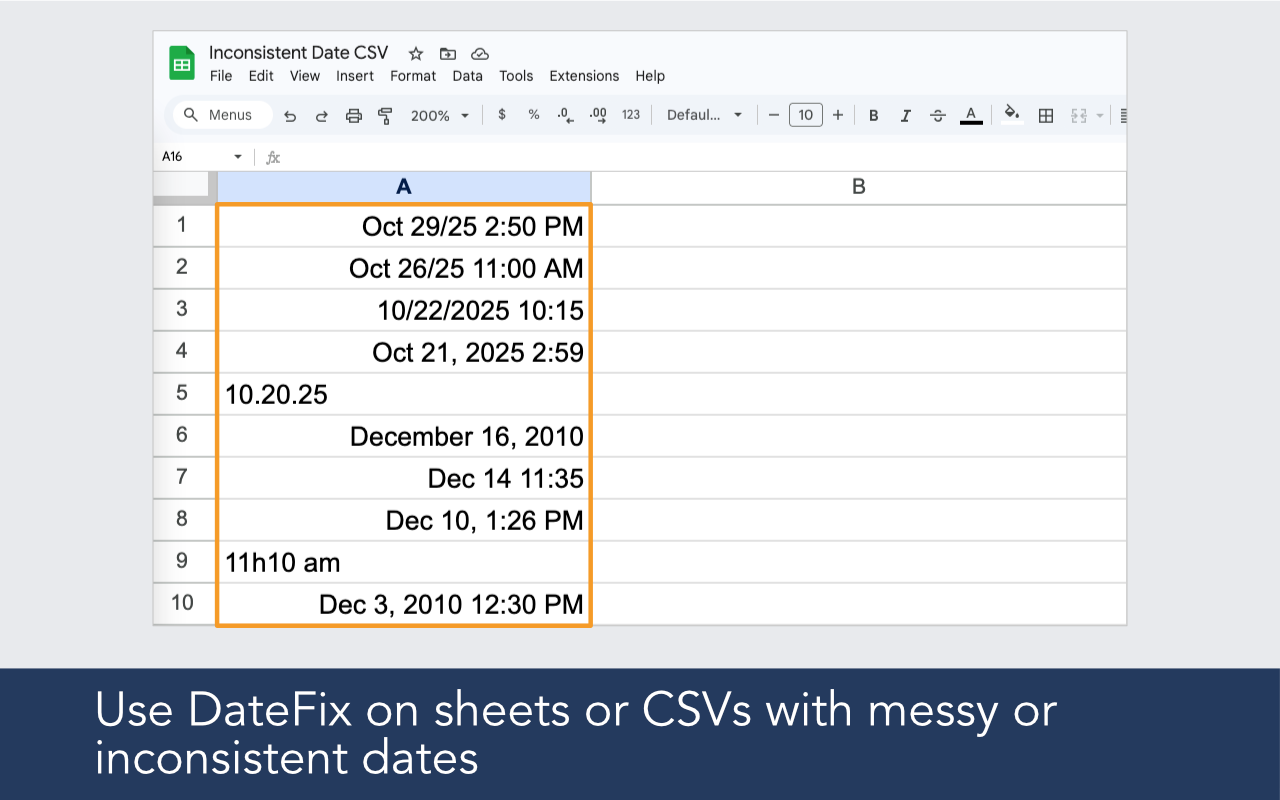
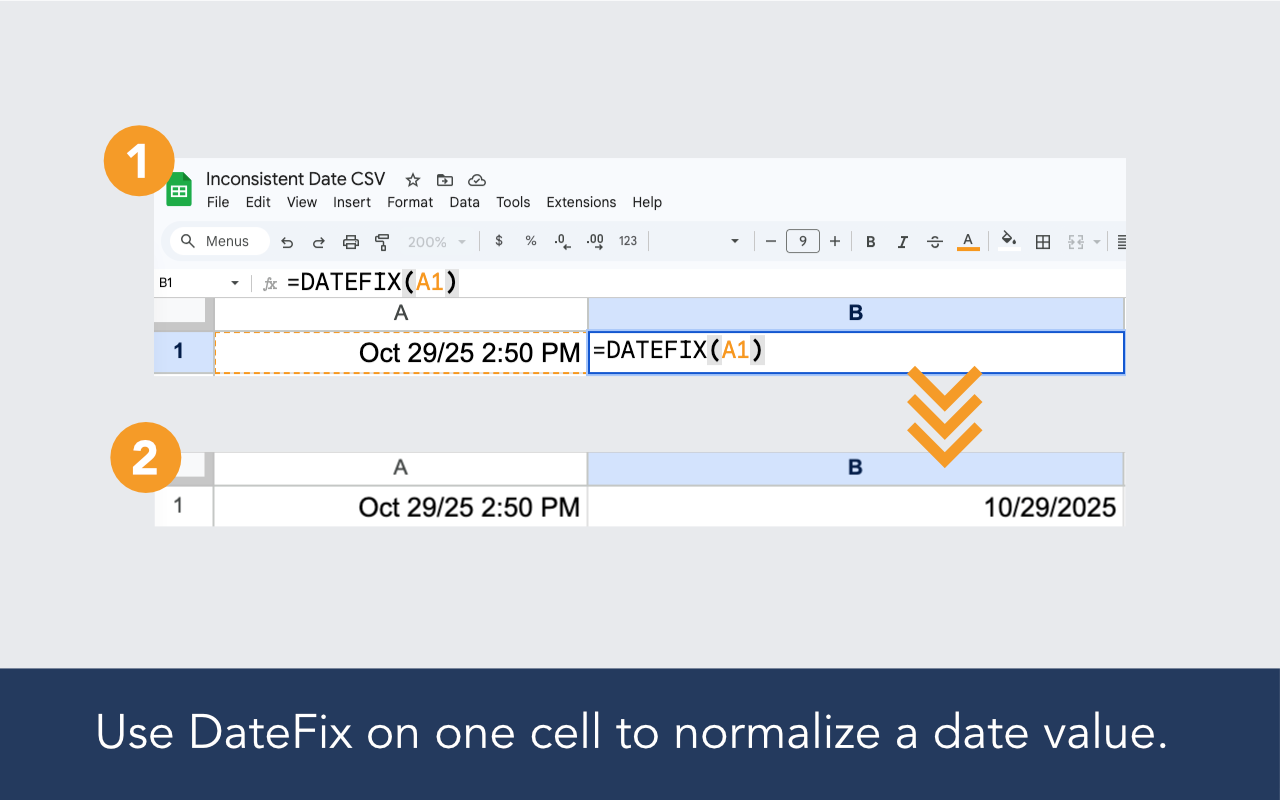
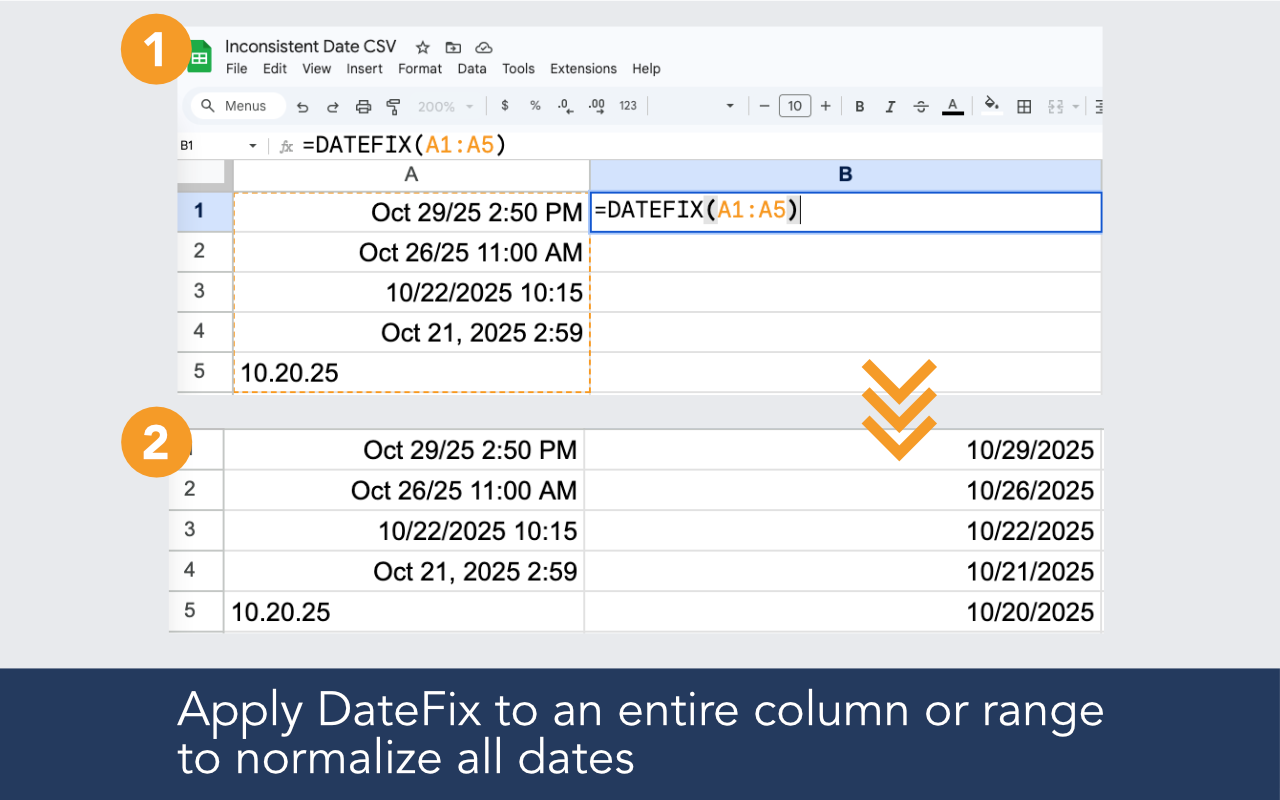
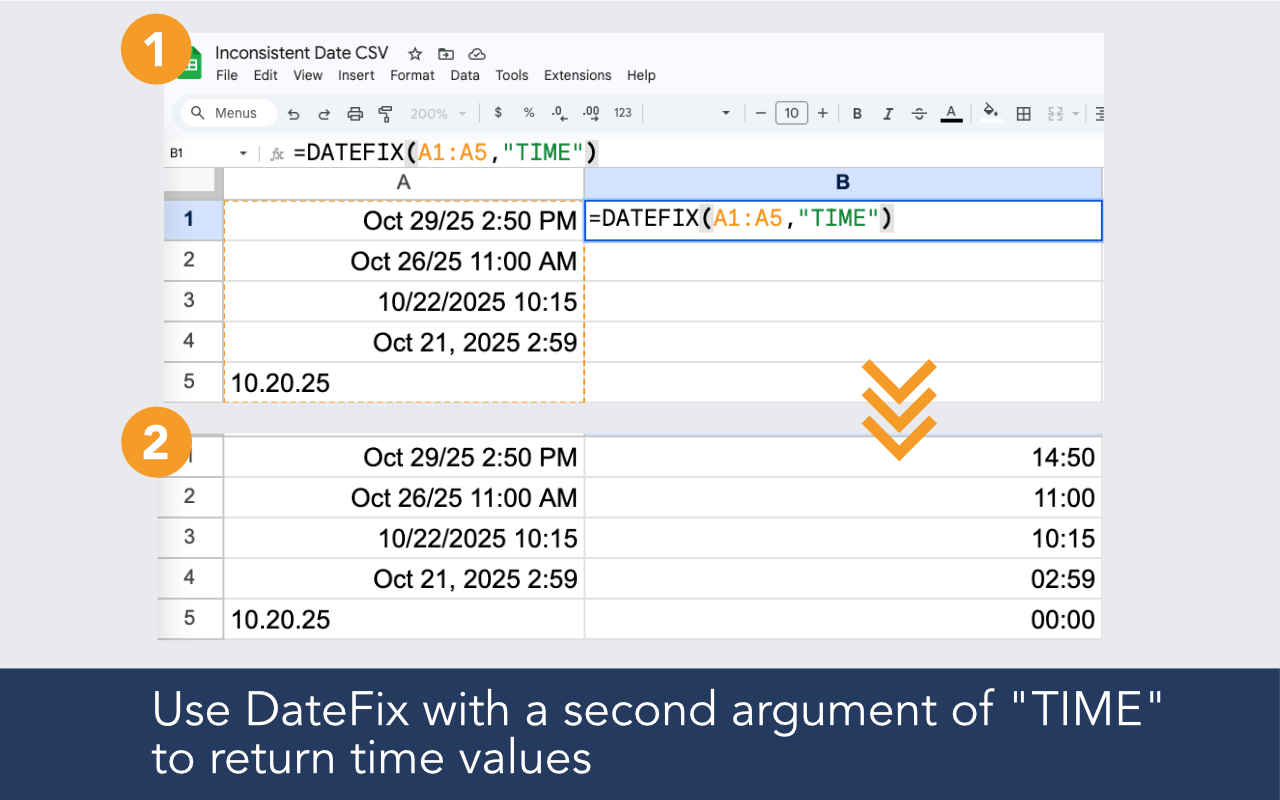
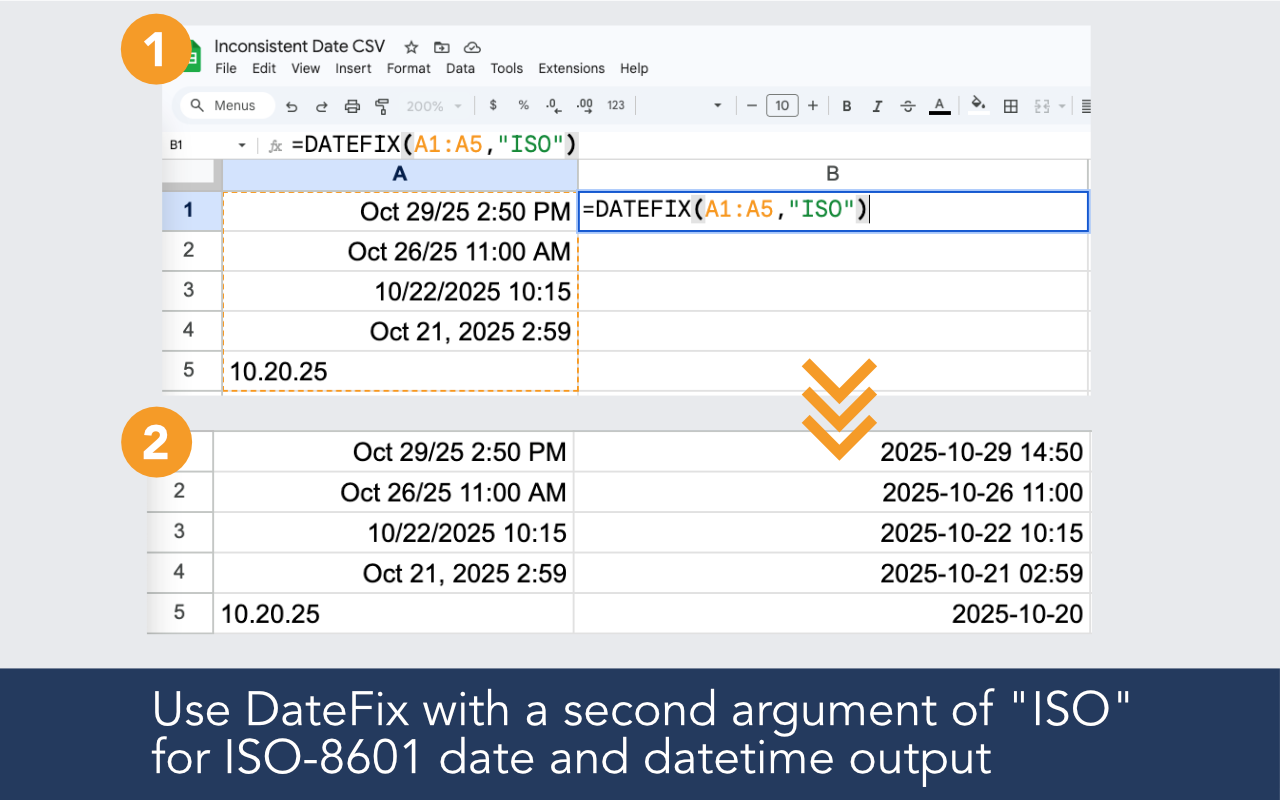
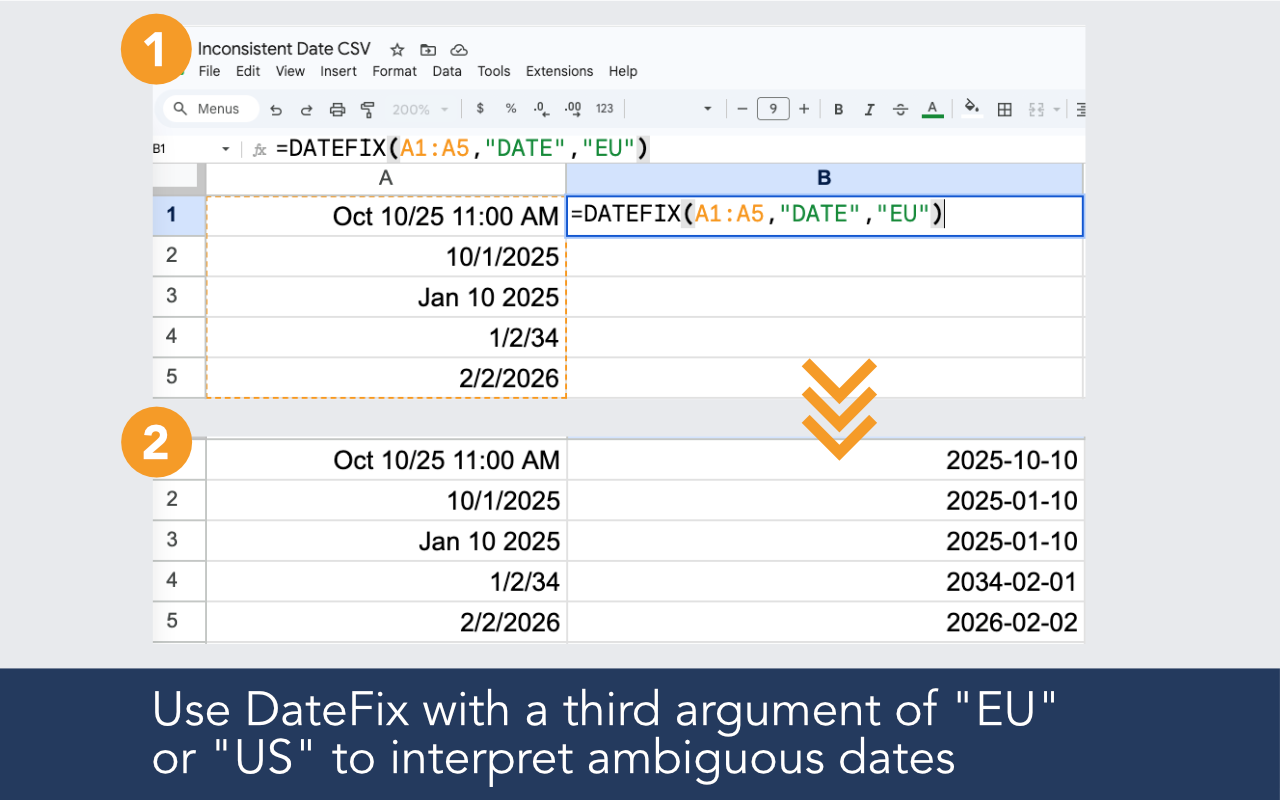
Built for imported data, broken date columns, regional ambiguity, and real-world spreadsheets that need reliable date output.

DateFix identifies values stored as text and outputs normalized dates that Google Sheets can actually work with.

CSV files, CRM exports, copied data, form responses. If the date arrived as text, DateFix can convert it.

Use DateFix on one value or across thousands of rows in a single formula.

Once dates are real values, sort order, filters, pivot tables, and date formulas all work as expected.
Install the add-on, open it in your sheet, and use a simple formula in a new column.
Example formulas
=DATEFIX(A2:A100)
=DATEFIX(A2,"ISO")
=DATEFIX(A2,,"US")

Date formatting only changes how a real date value is displayed. If the cell contains text that looks like a date, Google Sheets has nothing to format. DateFix converts the text value into a real date first.
Real dates right-align in cells automatically. Text dates left-align. You can also check by trying to sort the column chronologically. If it does not sort correctly, the values are likely text.
Yes. Use the optional third argument to specify US or EU interpretation for dates like 10/11/2024 that could be read either way.
DateFix is a Google Sheets add-on that helps clean and normalize messy or inconsistent date values with a simple custom function like =DATEFIX(A2:A10).
DateFix is free to use up to 100 rows per day. If that's insufficient, we offer an unlimited version for $19.99 / month, which allows an unlimited number of DateFix calls. You may upgrade within the DateFix add-on by clicking the upgrade button from the sidebar. Upgraded subscriptions may be cancelled at any time.
