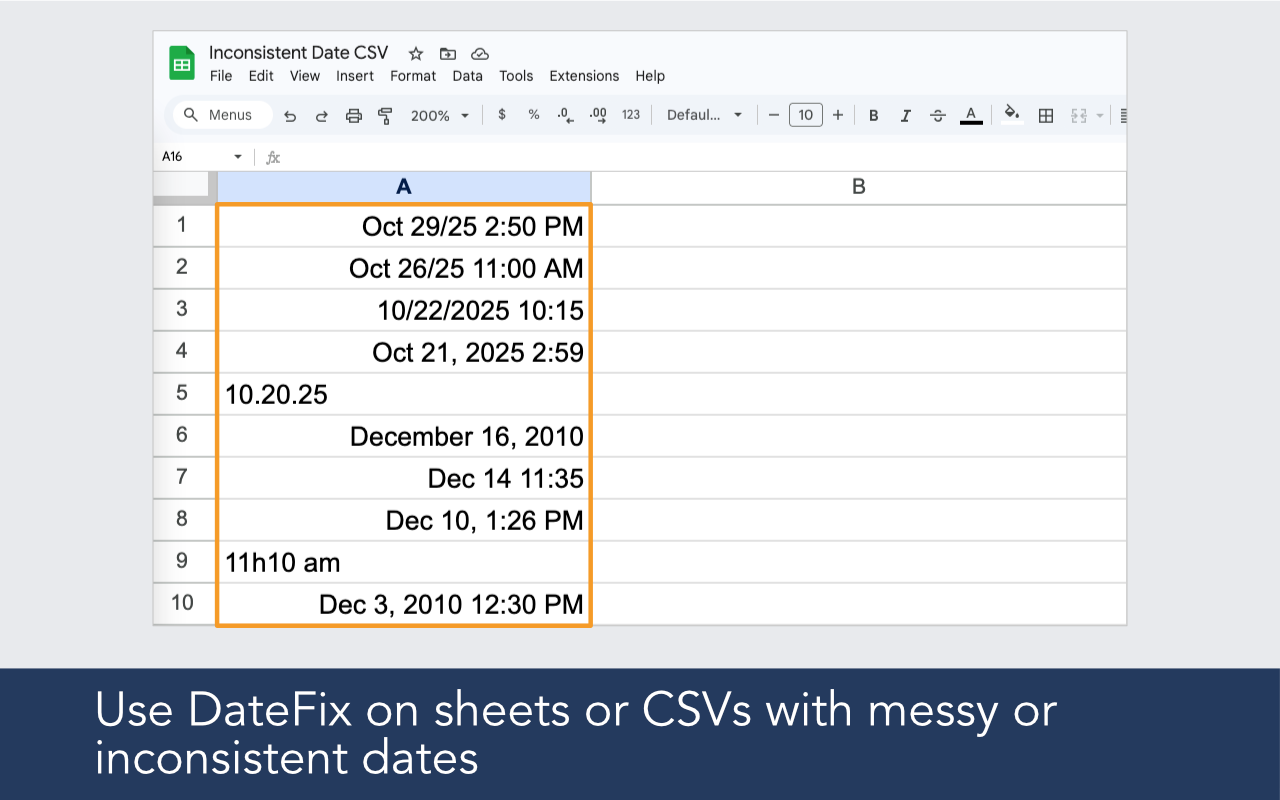
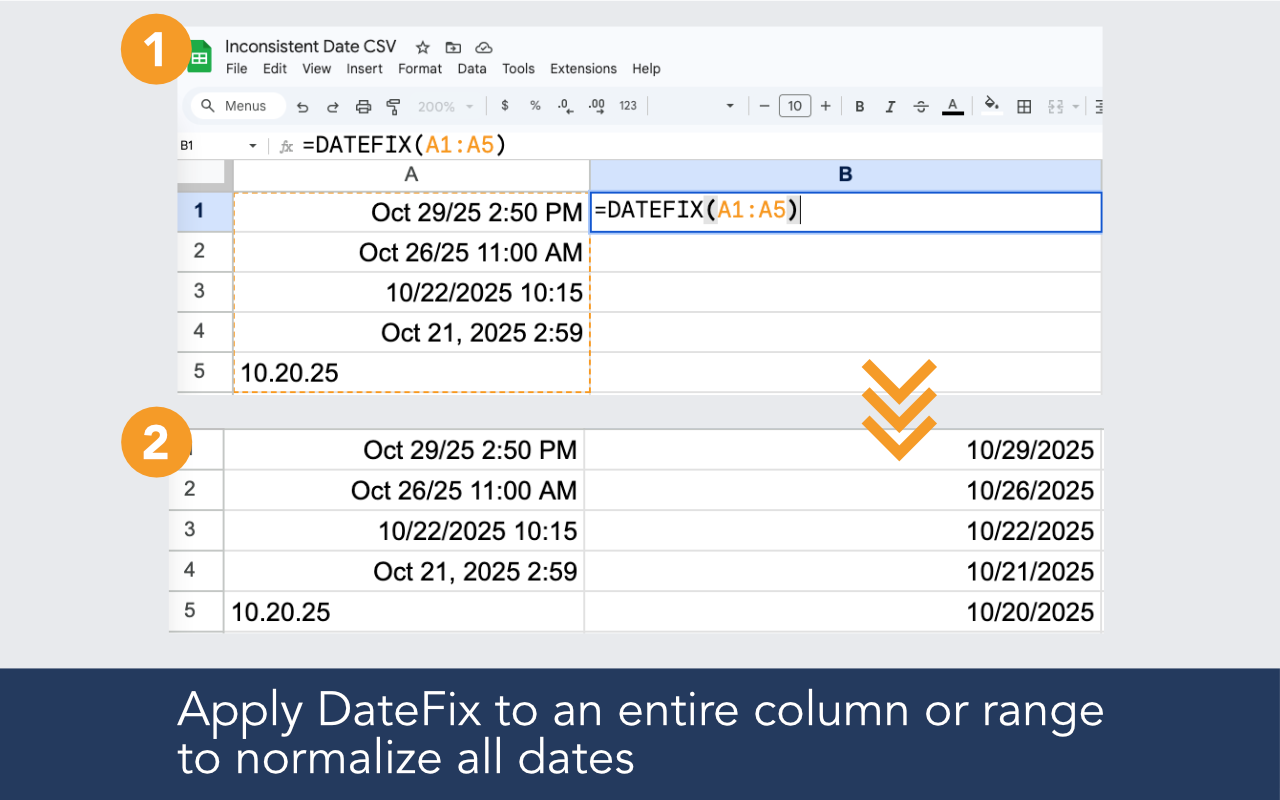
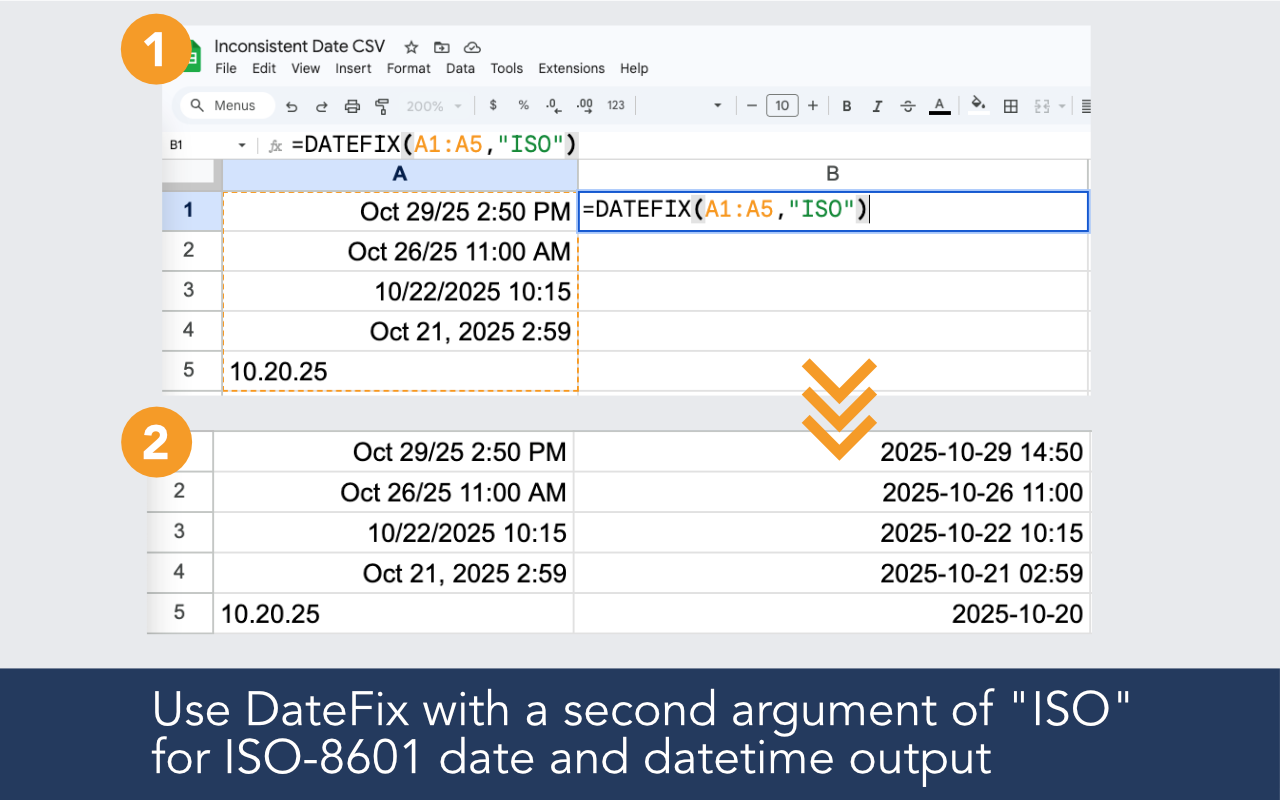
DateFix normalizes multiple date styles in a single range. Whether your column has dd/mm/yyyy mixed with mm/dd/yyyy or text strings mixed with real dates, DateFix interprets each value and returns consistent output.
Multiple date styles in the same column? DateFix interprets each value on its own terms and returns consistent, normalized output across the whole range.


Built for imported data, broken date columns, regional ambiguity, and real-world spreadsheets that need reliable date output.

DateFix reads each cell individually and interprets whatever format it finds, rather than expecting a single consistent pattern.
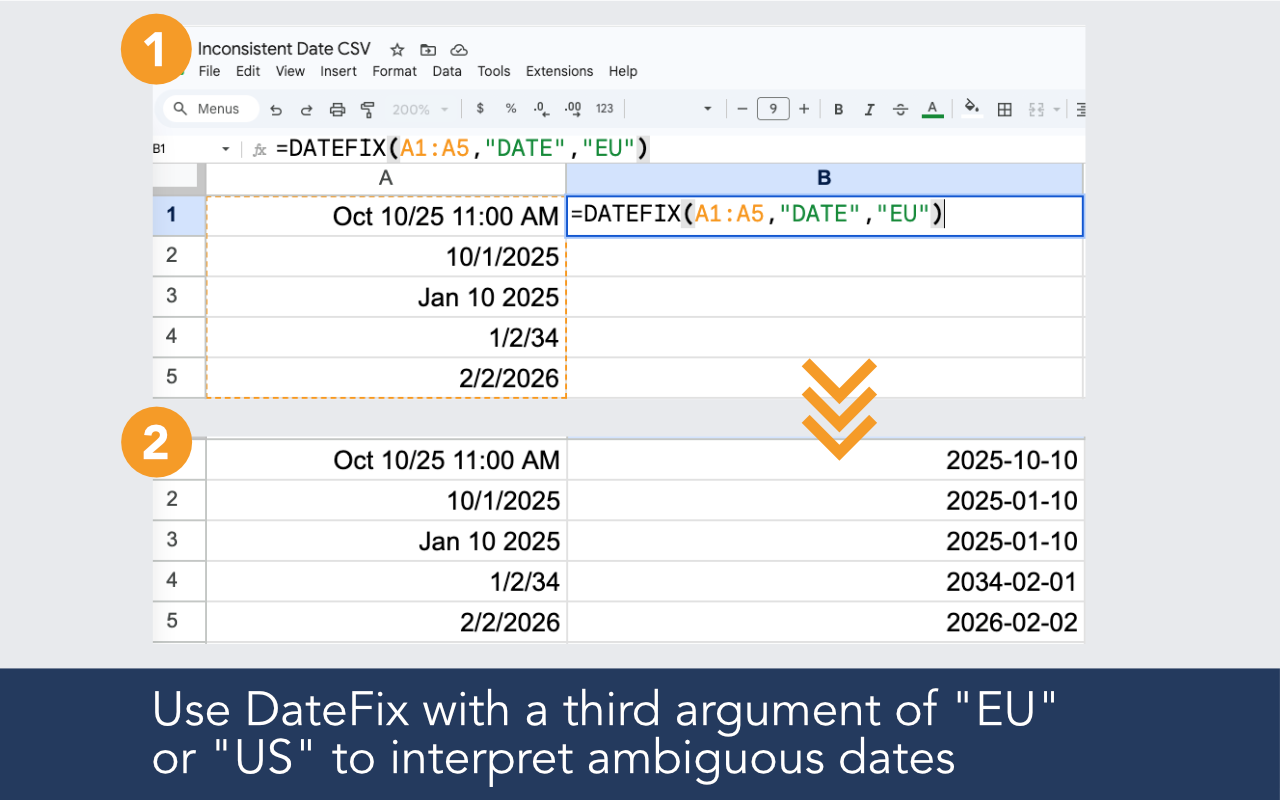
Use the optional EU or US argument to tell DateFix how to interpret ambiguous dates like 04/05/2024 across the entire range.
You do not need to separate dates by format before running DateFix. Point it at the whole column and it works through each value.
Use the ISO argument to return machine-readable dates ready for export to databases or APIs.
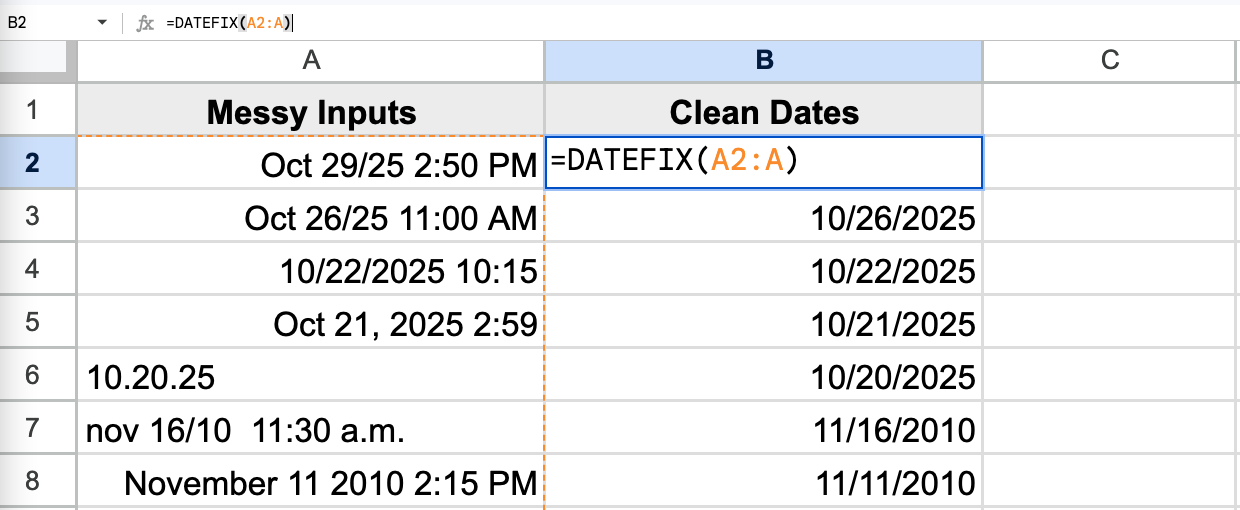
Install the add-on, open it in your sheet, and use a simple formula in a new column.
Example formulas
=DATEFIX(A2:A100)
=DATEFIX(A2,"ISO")
=DATEFIX(A2,,"US")
Yes. DateFix processes each cell individually. For clearly ambiguous dates you can pass a US or EU argument to set the interpretation rule for the whole range.
DateFix returns a blank or error for values it cannot parse. You can contact support with any sample inputs that return unexpected results.
Yes. DateFix skips empty cells and processes only the values it finds in the range.
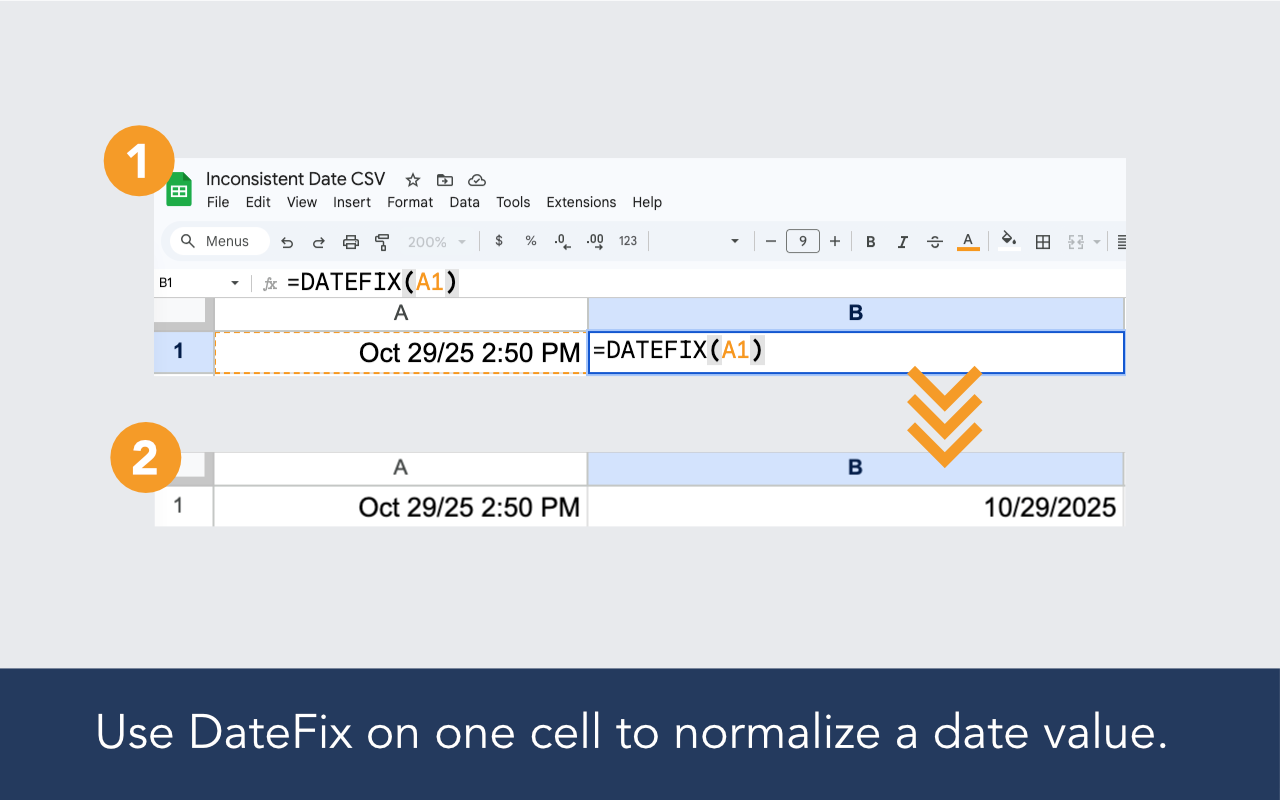
DateFix is a Google Sheets add-on that helps clean and normalize messy or inconsistent date values with a simple custom function like =DATEFIX(A2:A10).
DateFix is free to use up to 100 rows per day. If that's insufficient, we offer an unlimited version for $19.99 / month, which allows an unlimited number of DateFix calls. You may upgrade within the DateFix add-on by clicking the upgrade button from the sidebar. Upgraded subscriptions may be cancelled at any time.