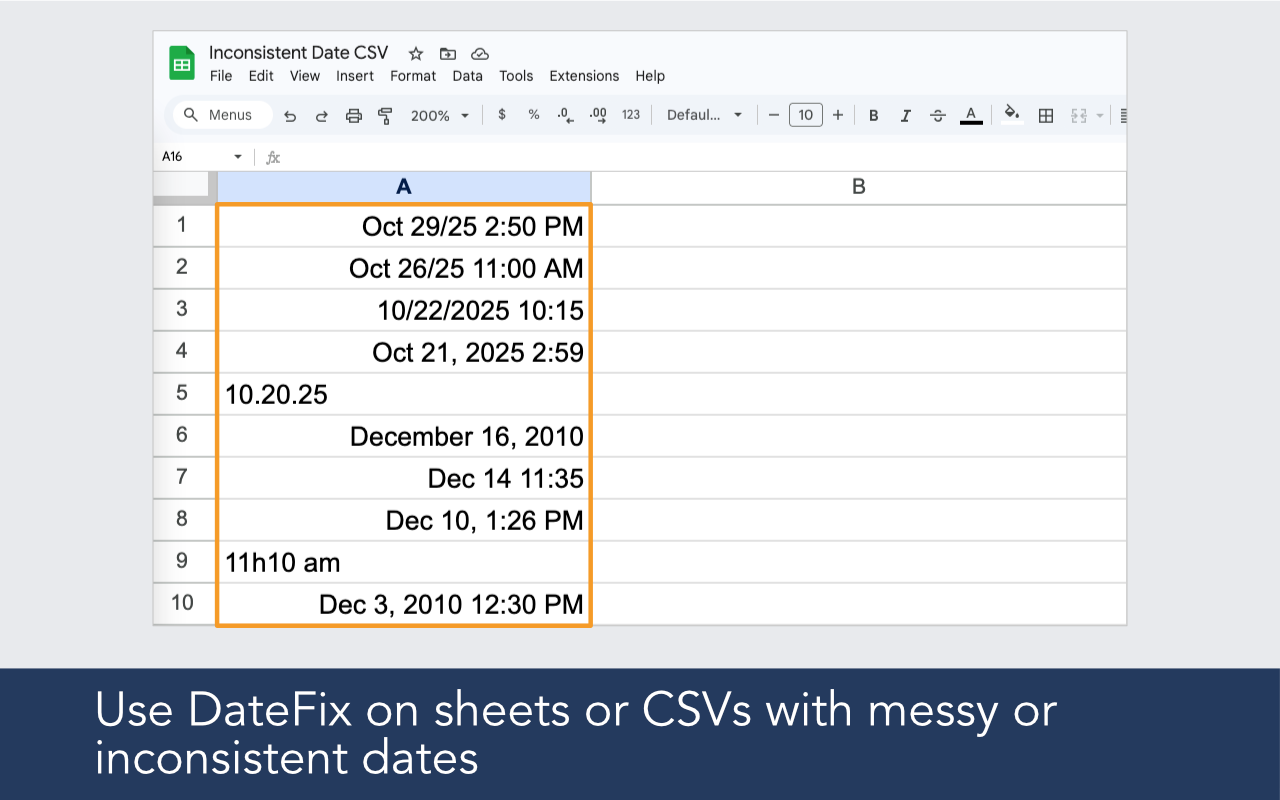
Salesforce, HubSpot, and most other CRM platforms export dates in formats Google Sheets does not always recognize. DateFix cleans and normalizes them so you can sort, filter, and analyze without manual cleanup.
CRM platforms export dates in formats Google Sheets does not always recognize. DateFix normalizes them so your exported data is ready for analysis.


Built for imported data, broken date columns, regional ambiguity, and real-world spreadsheets that need reliable date output.

DateFix works on the date strings produced by Salesforce, HubSpot, Airtable, and other common CRM and data platforms.
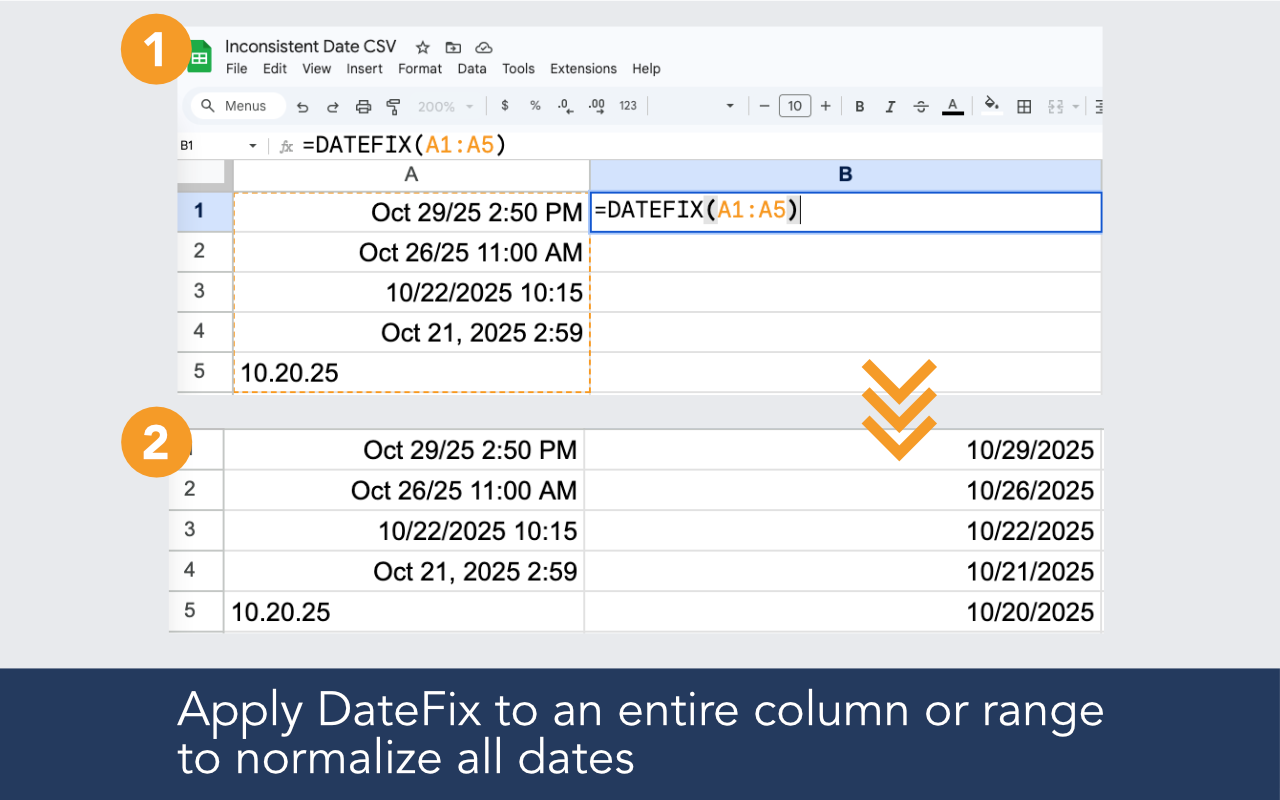
Run DateFix over your full date column in one formula. No row-by-row manual corrections.
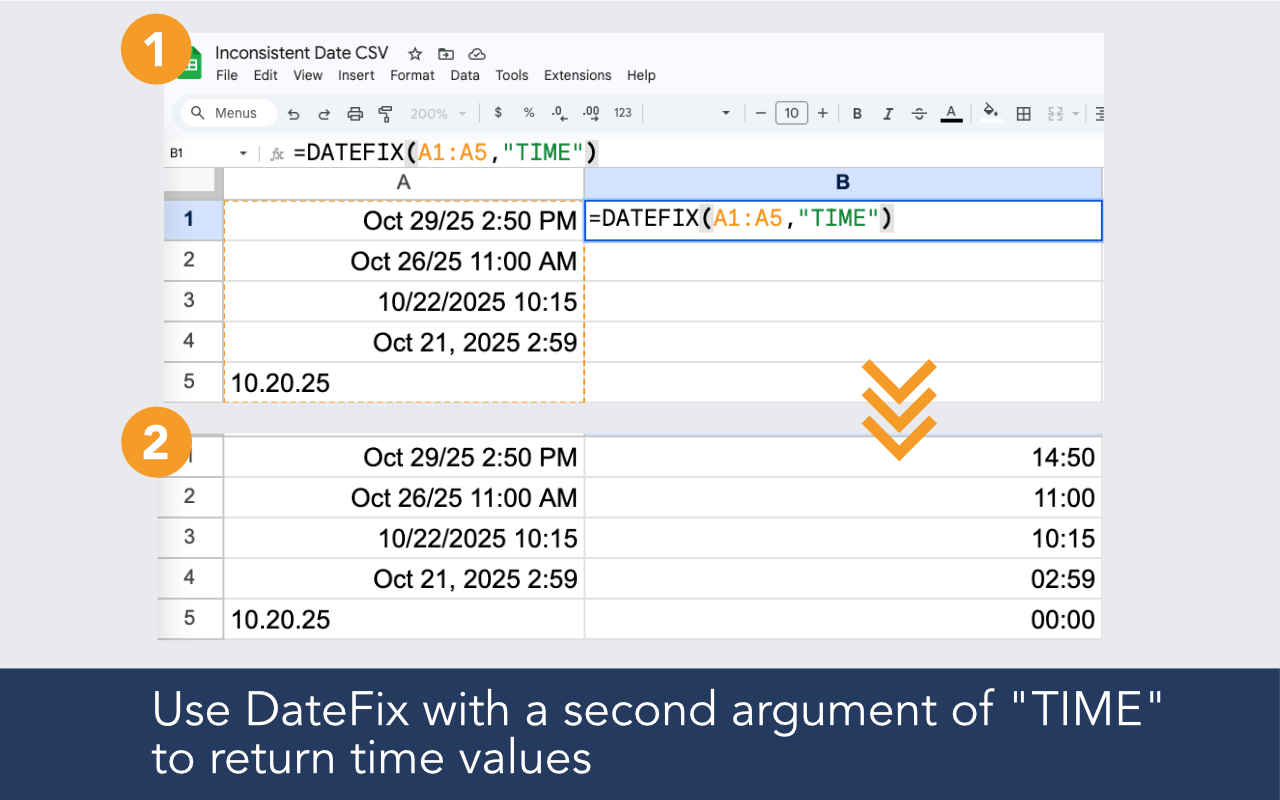
Use the TIME argument to normalize datetime values from CRM exports that include time components.
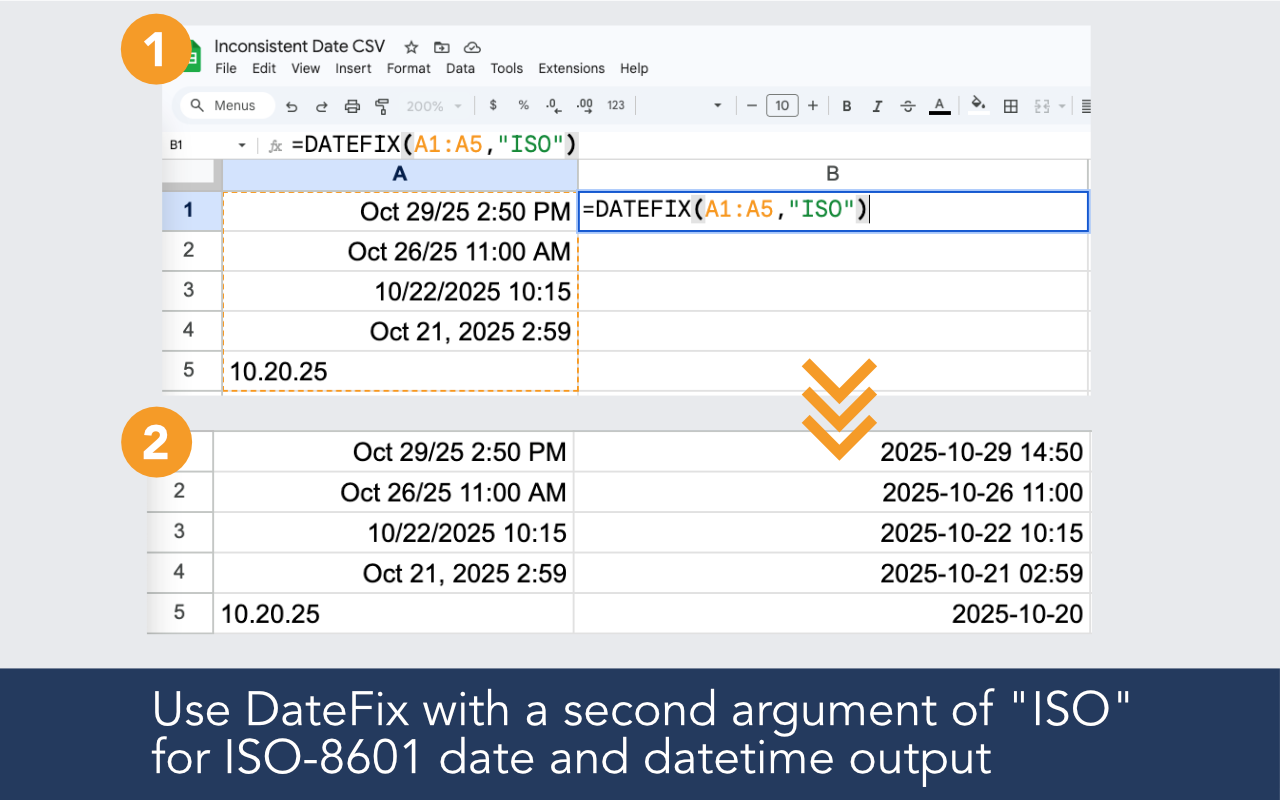
Use the ISO argument to produce clean ISO 8601 dates ready to import back into other systems.
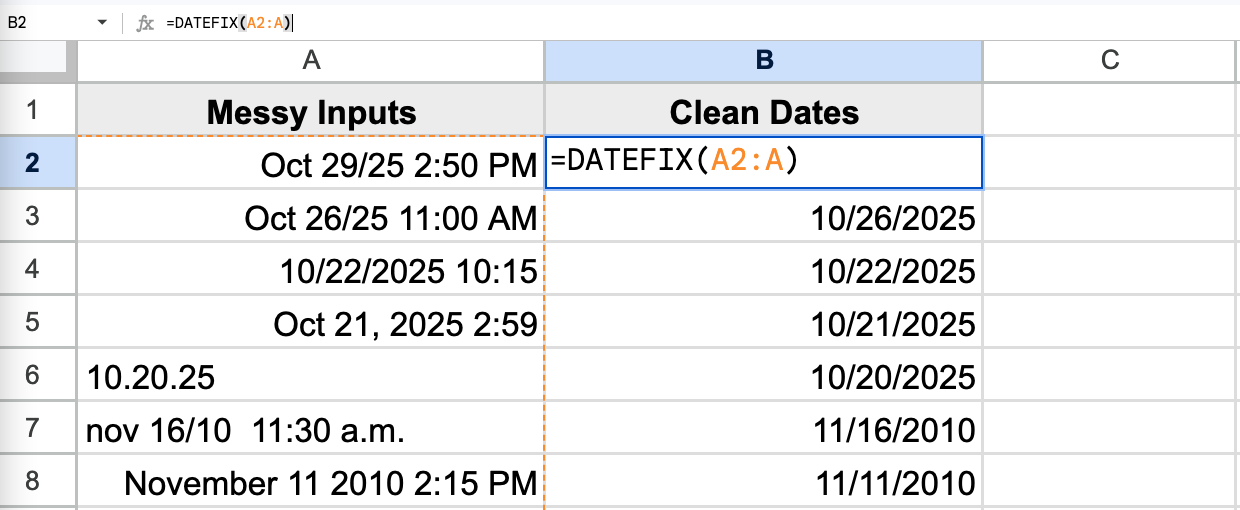
Install the add-on, open it in your sheet, and use a simple formula in a new column.
Example formulas
=DATEFIX(A2:A100)
=DATEFIX(A2,"ISO")
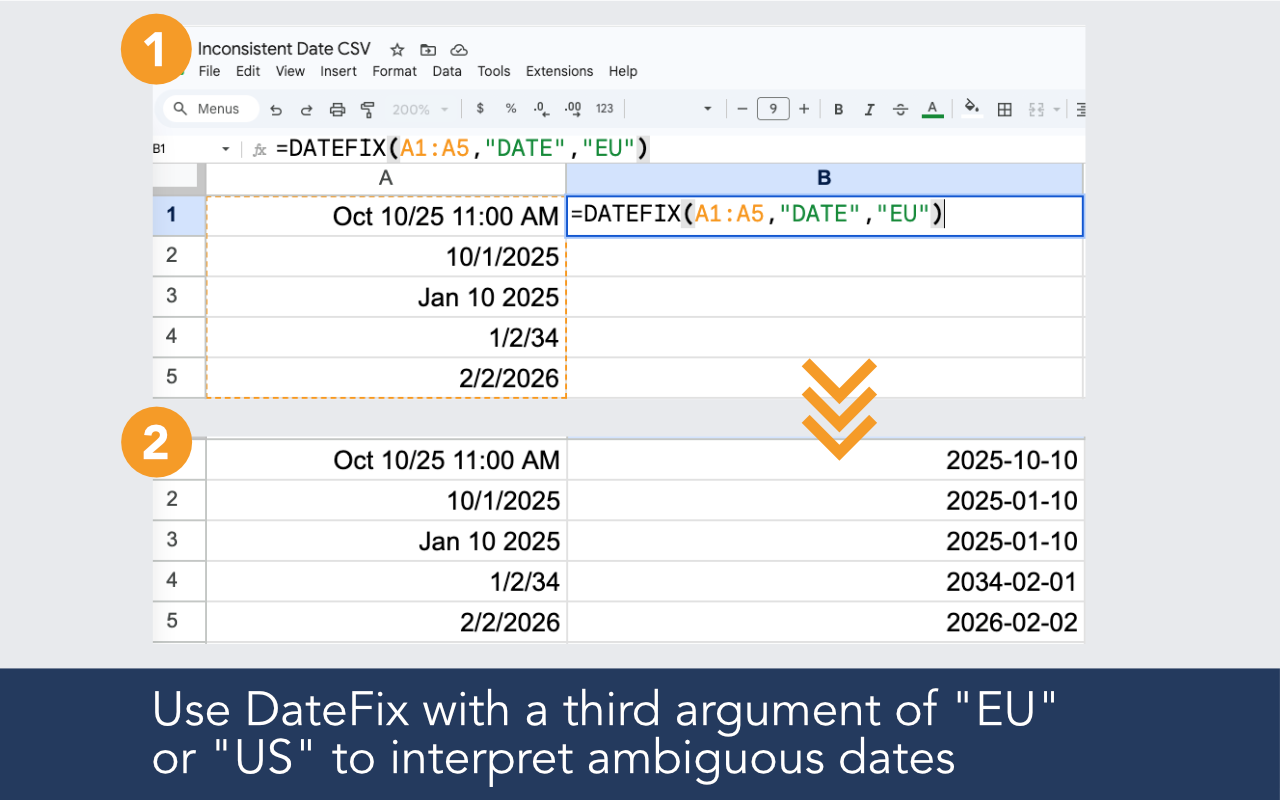
=DATEFIX(A2,,"US")
CRM platforms store and export dates in a variety of formats that may not match the locale settings in your Google Sheets. When the formats do not match, Sheets stores the values as text instead of recognizing them as dates.
Yes. Use =DATEFIX(A2,"TIME") to normalize datetime values that include a time component alongside the date.
Yes. DateFix recognizes ISO 8601 formatted dates as inputs and can also produce ISO output if you need to re-import the data into another system.
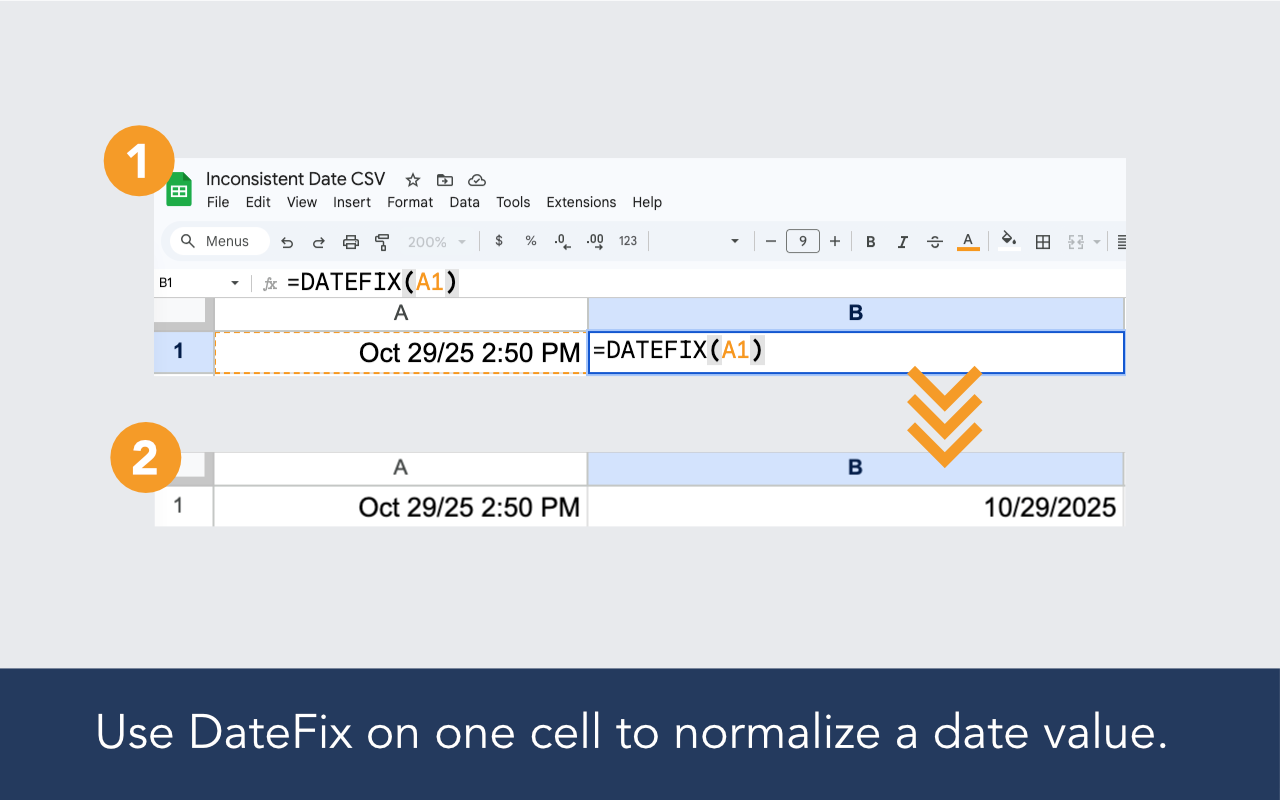
DateFix is a Google Sheets add-on that helps clean and normalize messy or inconsistent date values with a simple custom function like =DATEFIX(A2:A10).
DateFix is free to use up to 100 rows per day. If that's insufficient, we offer an unlimited version for $19.99 / month, which allows an unlimited number of DateFix calls. You may upgrade within the DateFix add-on by clicking the upgrade button from the sidebar. Upgraded subscriptions may be cancelled at any time.